
Seedream 5.0 Lite Blog Featured Image Background Prompts With Copy Space
Generate fast, text-free blog featured image backgrounds with Seedream 5.0 Lite using topic metaphors, crop-safe composition, series consistency, and editable headlines.
Quick answer
Reduce the article to one visual idea, choose a concrete metaphor that does not overclaim the content, and generate only the background. Reserve a real headline safe zone, add typography and branding in an editor, then test the image at social-card and mobile-thumbnail sizes.
Who this guide is for
Content teams, founders, SEO editors, newsletters, agencies, and independent publishers producing a recognizable series of article headers without baking error-prone text into generated pixels.
Recommended model
| Use case | Recommended model | Why |
|---|---|---|
| This workflow | Seedream 5.0 Lite for fast text-free background exploration | A lightweight text-to-image pass is useful for testing multiple topic metaphors and compositions before the selected direction is assembled with editable editorial elements. |
AIBase is an independent creative platform. Model names are shown only to identify supported underlying technologies and workflow choices.
Prompt template
Create a text-free blog featured image background for an article about [specific topic and reader outcome]. Visual metaphor: [one concrete object or scene], communicating [one idea] without implying [unsupported result]. Format: master 1.91:1 with a central crop that also survives 1:1 and 4:5. Place the focal object in [left/right third]; keep [opposite region] calm and low-detail for an editable headline. Series style: [palette, shape language, lighting]. No text, letters, numbers, logo, interface, chart data, badge, statistic, brand mark, human identity, misleading before-and-after result, border, or watermark.
Step-by-step workflow
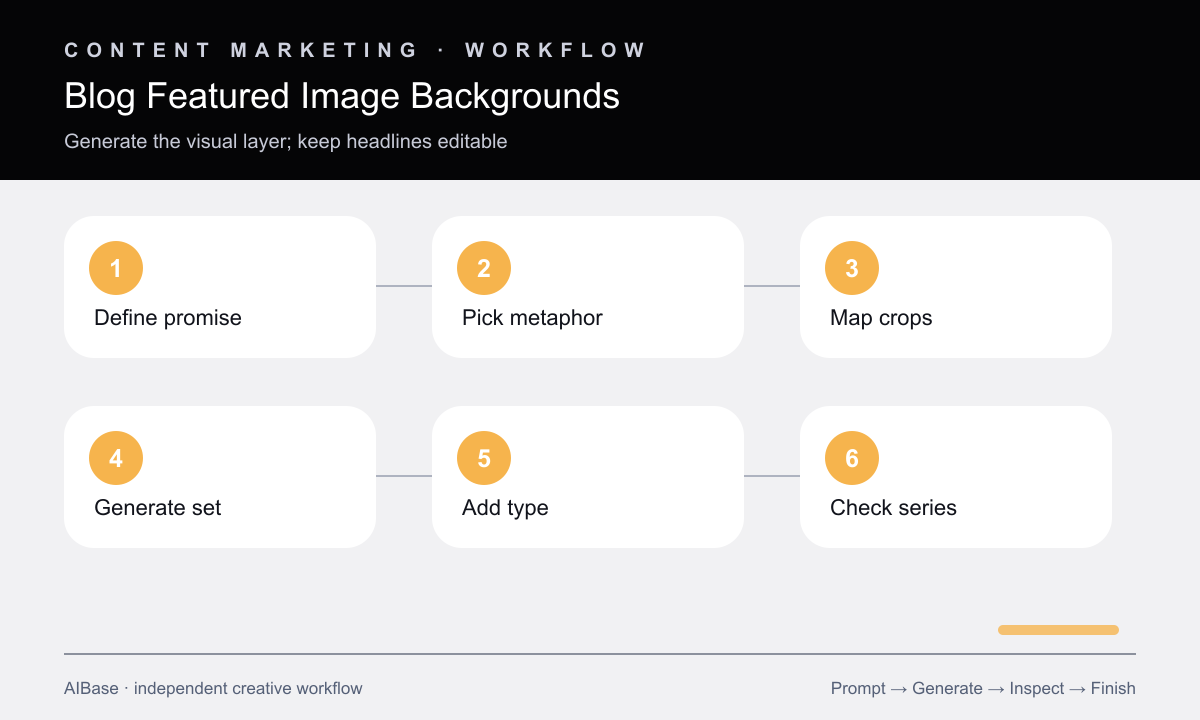
- Write the article’s one-sentence promise and underline the noun readers should recognize before choosing a visual metaphor.
- Reject metaphors that imply guaranteed growth, fabricated data, a real interface, or a product capability the article does not demonstrate.
- Overlay 1.91:1, 1:1, and 4:5 crop frames and reserve one shared headline zone with enough contrast for the actual title length.
- Generate three backgrounds that share palette and structure but test three different metaphors, not minor prop rearrangements.
- Add headline, category, logo, and accessibility-safe contrast in an editor, keeping all factual and brand elements editable.
- Review as a 320-pixel card, mobile crop, social preview, and page hero; record the chosen metaphor to prevent repetition.
Example prompt variants
- Featured background for an article about simplifying an AI prompt workflow, one tangled ribbon becoming three orderly parallel lines, editorial paper-cut style, focal motion on right, calm dark left headline zone.
- Featured background for an article about evaluating image models, three neutral translucent lenses above one reference grid, restrained blue and amber palette, objects left of center, clean right copy space, no scores or interface.
- Featured background for an article about product-photo consistency, a sequence of identical blank plinths under matched light cones, minimalist studio illustration, lower visual weight, open upper-left headline area.
Quality checklist
- The visual metaphor matches the article’s scope and does not promise data, outcomes, interfaces, or capabilities the body cannot support.
- The focal subject and headline-safe zone survive wide, square, portrait, and mobile-thumbnail crops.
- Generated pixels contain no pseudo-text, numbers, logos, charts, interface fragments, or unintended brand-like marks.
- Final typography, category, logo, and contrast remain editable and meet design and accessibility requirements.
- The image belongs to a coherent series but uses a new metaphor, silhouette, or composition rather than duplicating earlier headers.
Mistakes to avoid
- Pasting the full article title into the generation prompt and accepting malformed text as final typography.
- Choosing a generic robot, glowing brain, or magic wand that adds no useful signal about search intent.
- Designing only for a wide desktop hero and discovering that social or mobile crops remove the subject.
- Letting every article use the same abstract gradient and calling palette consistency a complete editorial system.
Related AIBase pages
- Open Seedream 5.0 Lite
- Create YouTube thumbnail backgrounds
- Build event poster backgrounds
- Draft newsletter hero images
Practical next step
Open the most relevant AIBase generator, run one narrow prompt first, and save the best result before adding more constraints. The fastest way to improve output quality is to compare one variable at a time: subject, camera, background, lighting, then final polish.