
Seedream 5.0 Lite LinkedIn Post Background Prompts
Generate professional LinkedIn post backgrounds with Seedream 5.0 Lite using text-free compositions, editable copy zones, mobile-safe hierarchy, brand constraints, and claim checks.
Quick answer
Write the post’s single takeaway first, then generate only the visual background: one relevant metaphor, a quiet mobile-readable copy zone, restrained brand color, and no generated headline, chart, logo, testimonial, interface, or metric. Add verified copy and data in a design tool so the post stays editable, accessible, and accurate.
Who this guide is for
B2B marketers, founders, consultants, recruiters, product teams, and agencies producing single-image posts, document-carousel covers, launch updates, hiring posts, reports, and event recaps.
Recommended model
| Use case | Recommended model | Why |
|---|---|---|
| This workflow | Seedream 5.0 Lite text-to-image | Fast background variation is useful for testing several professional metaphors and compositions before editable copy and brand elements are assembled separately. |
AIBase is an independent creative platform. Model names are shown only to identify supported underlying technologies and workflow choices.
Prompt template
Create a text-free LinkedIn post background for [post type] aimed at [professional audience]. Verified takeaway: [one sentence used only to guide the visual]. Visual metaphor: [one concrete, relevant object or system]. Format [square/4:5], mobile-first. Put the focal element in [region] and reserve a calm, high-contrast [region] for an editable headline of [line count], supporting line, and small brand mark. Palette [approved colors]; style [editorial/diagrammatic/studio]; restrained professional lighting. No text, letters, numbers, logo, chart labels, dashboard, browser frame, testimonial, portrait, badge, trophy, currency, fake data, product UI, watermark, or essential detail near the crop edge.
Step-by-step workflow
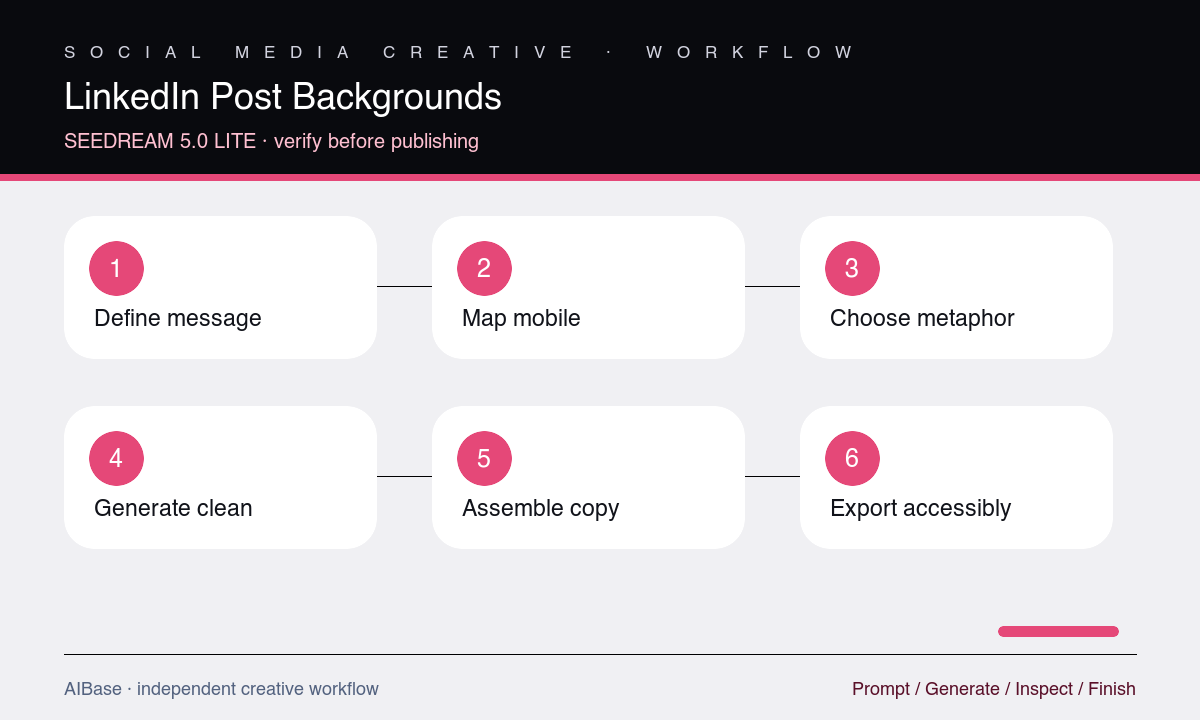
- Define one audience, one takeaway, post type, destination, factual source, approved brand kit, required legal review, and final square or 4:5 crop.
- Choose a specific visual metaphor tied to the takeaway and sketch the mobile headline zone, focal object, logo margin, and carousel continuation area.
- Generate three text-free directions by varying only metaphor or subject position, avoiding fake interfaces, charts, people, awards, and social proof.
- Place the real headline, verified number, source note, CTA, and logo as editable layers at actual mobile size before choosing the background.
- Review message clarity, contrast, brand fit, factual implication, accessibility, crop safety, and whether the image overstates a result or endorsement.
- Export an optimized asset, preserve the editable source, add useful alt text, and confirm the post copy and linked destination make the same claim.
Example prompt variants
- Square B2B workflow post background with three simple translucent blocks resolving into one clean path on the right, dark navy and warm orange, quiet left headline zone, no arrows, UI, text, numbers, or chart.
- 4:5 research-summary cover with layered paper planes forming one ascending but non-quantified pattern at the bottom, pale gray and cobalt, large calm upper copy zone, no graph, percentage, report title, or badge.
- Square hiring-post background with one open modular frame and subtle team-color accents, focal shape low right, clean left copy area, no people, handshake, office, logo, role title, salary, or text.
Quality checklist
- The metaphor helps explain the verified takeaway without implying unsupported growth, certainty, customer proof, awards, adoption, or performance.
- Headline, supporting copy, data, source, CTA, logo, and any chart remain editable and readable at actual LinkedIn mobile size.
- The focal point and negative space survive square, 4:5, feed preview, carousel cover, and common device crops.
- Color, typography overlay, contrast, alt text, file weight, and destination consistency meet the brand and accessibility checklist.
- Generated pixels contain no fake data, interface, logo, endorsement, portrait, badge, text artifact, or element that changes the factual meaning.
Mistakes to avoid
- Asking the model to render the complete headline, company logo, statistic, chart, and CTA inside the background.
- Using generic rockets, trophies, handshakes, glowing brains, or upward graphs unrelated to the post’s actual insight.
- Choosing a desktop-beautiful composition whose text zone becomes cluttered or cropped in the mobile feed.
- Letting an aspirational image imply measured growth, customer approval, hiring diversity, or product capability that the post cannot support.
Related AIBase pages
- Open Seedream 5.0 Lite
- Create social media prompt templates
- Create LinkedIn ad creative
- Create webinar promotion backgrounds
Practical next step
Open the most relevant AIBase generator, run one narrow prompt first, and save the best result before adding more constraints. The fastest way to improve output quality is to compare one variable at a time: subject, camera, background, lighting, then final polish.