
Seedream 5.0 Lite Webinar Promotion Background Prompts
Generate webinar promotion backgrounds with Seedream 5.0 Lite using a message-led visual metaphor, speaker-safe zones, editable typography, crop variants, and event-truth checks.
Quick answer
Turn the webinar promise into one simple visual metaphor, reserve explicit zones for the headline, date, CTA, logo, and approved speaker portraits, and generate only the text-free background. Assemble all names, credentials, event details, and accessibility-critical information as editable layers, then test every delivery crop against the registration page.
Who this guide is for
B2B marketers, community teams, educators, event producers, and agencies creating webinar announcement, reminder, last-call, speaker, and replay graphics across social, email, and landing pages.
Recommended model
| Use case | Recommended model | Why |
|---|---|---|
| This workflow | Seedream 5.0 Lite for fast text-free background exploration | Fast variation is useful when a campaign needs several distinct visual metaphors and crops, while factual event content stays in editable design layers. |
AIBase is an independent creative platform. Model names are shown only to identify supported underlying technologies and workflow choices.
Prompt template
Create a text-free webinar promotion background for [topic and audience]. Core promise: [one audience outcome]. Visual metaphor: [one concrete non-literal scene]. Format: [1:1/4:5/16:9]. Reserve a clean high-contrast headline zone in [region], an unobstructed area for [one/two] approved speaker portrait cutouts in [region], and a small footer band for editable date, CTA, logo, and disclosure. Palette: [brand-safe colors]. Style: [editorial/geometric/photographic]. No people, faces, headshots, text, letters, numbers, logos, interface screenshots, certificates, charts, badges, clocks, microphones, fake data, watermark, border, or unsupported outcome imagery.
Step-by-step workflow
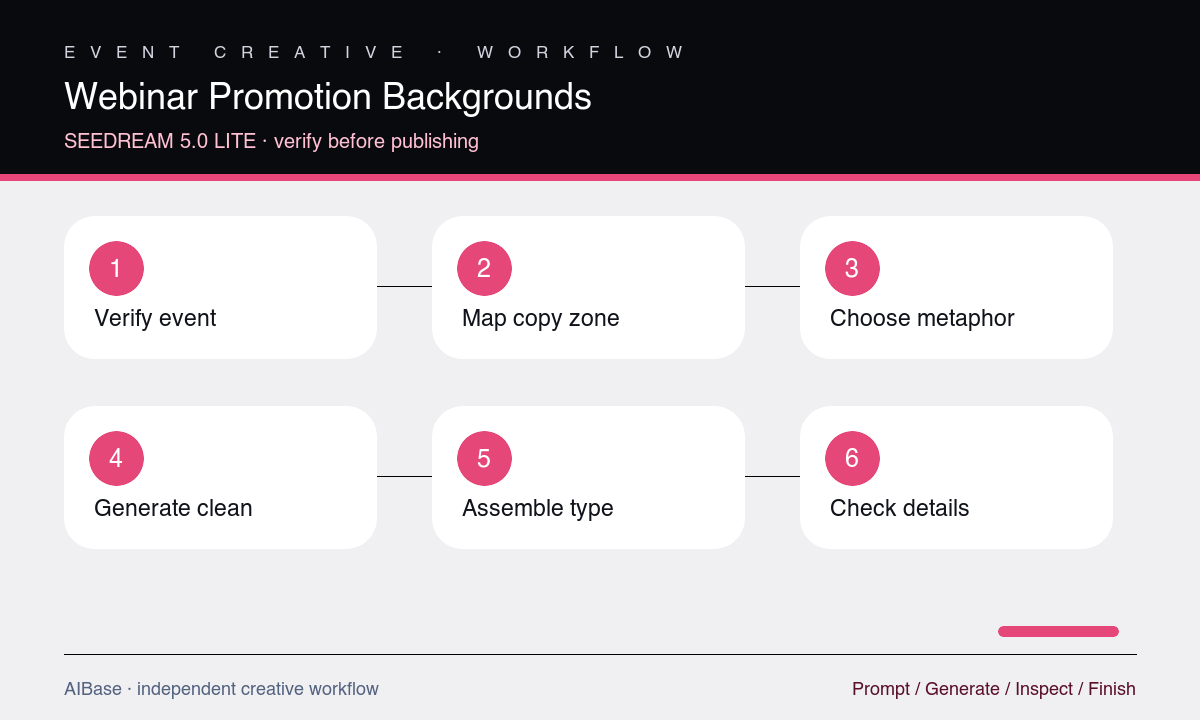
- Write the verified event sheet first: audience, promise, topic, speakers, names, roles, date, time zone, format, CTA, registration URL, accessibility information, and approval owners.
- Choose one visual metaphor that supports the promise without implying guaranteed revenue, certification, access, data, or product capability.
- Map headline, speaker portrait, logo, date, CTA, and safe-margin zones for square, portrait, landscape, and mobile crops before generating.
- Generate three text-free backgrounds by varying only the metaphor or composition, then test each with placeholder rectangles for real content.
- Add approved speaker portraits, names, roles, event copy, logo, date, time zone, CTA, and disclosures as editable design layers.
- Verify the final graphic against the live registration page, crop it for each channel, check contrast and reading order, and update reminder states from one source of truth.
Example prompt variants
- 4:5 B2B operations webinar background using interlocking translucent pathways as a workflow metaphor, deep navy and warm coral, clean upper-left headline zone, two portrait cutout zones on the right, simple footer band, no text or charts.
- Square creative-strategy webinar background with modular paper frames converging on one open center, warm neutral palette with cobalt accent, headline space at top and one speaker zone lower-left, no people, letters, or icons.
- 16:9 technical workshop hero background with layered abstract system blocks and one illuminated connection path, charcoal and mint palette, open left headline area and two right portrait zones, no interface, code, numbers, or logo.
Quality checklist
- The metaphor supports one verified event promise and does not imply guaranteed outcomes, credentials, features, data, or access.
- Headline, approved portrait, date, CTA, logo, footer, and safe-margin zones survive all actual crops without competing with the background.
- Names, roles, portraits, schedule, time zone, format, registration details, and disclosures match the live event source of truth.
- All factual copy and identity assets remain editable, readable, accessible, and free from generated pseudo-text or fake interface fragments.
- Announcement, reminder, last-call, and replay variants remain visually related while clearly signaling their different jobs.
Mistakes to avoid
- Asking the image model to render speaker names, event dates, logos, certificates, or CTA copy inside generated pixels.
- Using generic microphones, glowing brains, or video-call grids that say webinar but communicate nothing about the audience outcome.
- Designing one landscape composition and mechanically cropping away the speaker, headline, or CTA for social channels.
- Publishing credentials, time zones, replay availability, or registration promises without checking the live event page.
Related AIBase pages
- Open Seedream 5.0 Lite
- Create event poster backgrounds
- Create LinkedIn ad creative
- Use social media prompt templates
Practical next step
Open the most relevant AIBase generator, run one narrow prompt first, and save the best result before adding more constraints. The fastest way to improve output quality is to compare one variable at a time: subject, camera, background, lighting, then final polish.