
Veo 3.1 Fast UGC Ad Video Prompts for Hook Testing
Test UGC-style ad hooks with Veo 3.1 Fast using believable situations, one creator action, clear product context, and editable endings.
Quick answer
Use Veo 3.1 Fast to test the visual hook and creator action before polishing a campaign. Define a believable audience situation, one visible problem or discovery, handheld camera behavior, and a clean ending; add approved speech, captions, claims, and disclosure in post-production.
Who this guide is for
Performance creative teams, founders, and social marketers exploring UGC-style hooks, creator blocking, product moments, and short-form ad storyboards.
Recommended model
| Use case | Recommended model | Why |
|---|---|---|
| This workflow | Veo 3.1 Fast | Its place in the AIBase workflow is best used for rapid shot and prompt exploration before committing to selected final concepts. |
AIBase is an independent creative platform. Model names are shown only to identify supported underlying technologies and workflow choices.
Prompt template
Create a short UGC-style ad concept for [product category] aimed at [specific audience]. Setting: [ordinary believable location]. Hook in the first moment: [visible problem, surprise, or discovery]. Creator action: [one natural action]. Product role: [what is visibly shown without an unsupported claim]. Camera: handheld smartphone feel, [framing], restrained movement. End frame: [product visible with caption-safe space]. No on-screen text, logos, testimonials, prices, health or performance claims, extra fingers, jump cuts, or exaggerated reaction.
Step-by-step workflow
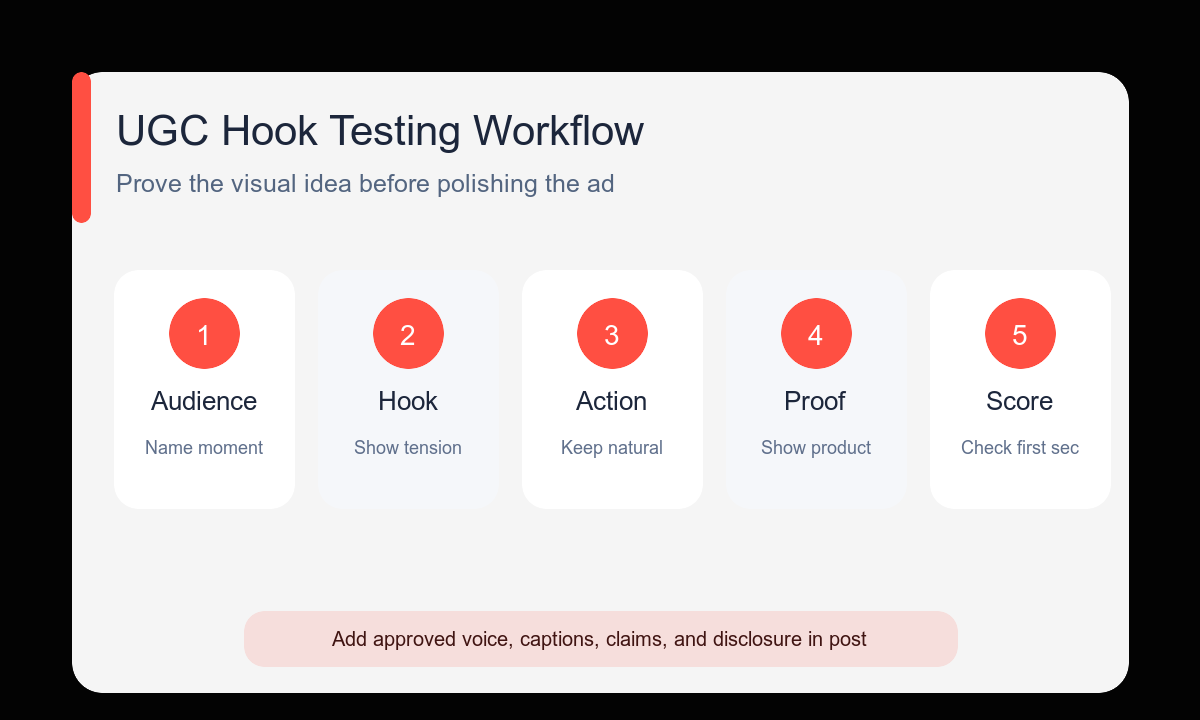
- Write the audience situation and one visible hook before choosing visual style.
- Make the creator perform one natural action that a viewer can understand without narration.
- Keep the phone-camera language specific but restrained: framing, distance, and one movement.
- Generate three different hook hypotheses with the same audience and product role.
- Score the first second, product clarity, believable behavior, crop safety, and editing potential.
- Record or add approved voiceover, captions, disclosure, logo, and verified claims after selecting the concept.
Example prompt variants
- UGC-style vertical concept for a cable organizer: remote worker looks under a tangled desk, then lifts one neatly routed cable tray into frame; handheld medium close-up; practical home office; end on tidy desk with top caption space.
- UGC-style vertical concept for a travel mug: commuter notices the cup fits a narrow train tray and places it securely; natural window light; subtle phone push-in; calm reaction; end product centered.
- UGC-style square concept for a meal planner: busy parent opens a cluttered fridge, checks a simple phone plan, then selects one prepared container; shoulder-level handheld shot; no app text visible; clean ending.
Quality checklist
- The hook is visible immediately and fits the named audience situation.
- The creator’s action looks natural rather than theatrical or unsafe.
- The product role is clear without generated claims or dialogue.
- Hands, product geometry, eye line, and room continuity remain stable.
- The ending leaves space for approved captions and disclosure.
Mistakes to avoid
- Writing polished brand-film language for a casual creator concept.
- Depending on generated speech or text to explain the hook.
- Showing a dramatic before-and-after result the product cannot substantiate.
- Testing several audiences, products, and hooks in one comparison batch.
Related AIBase pages
Practical next step
Open the most relevant AIBase generator, run one narrow prompt first, and save the best result before adding more constraints. The fastest way to improve output quality is to compare one variable at a time: subject, camera, background, lighting, then final polish.