
Best AI Workflow for Mobile App Launch Creative
Route launch backgrounds, device scenes, ratio variants, app-demo motion, cinematic hooks, and editable product facts across AIBase-supported models.
Quick answer
Start with one approved product-truth sheet and real app captures. Use GPT Image 2 or Nano Banana Pro for polished text-free hero and device-environment concepts, Seedream 5.0 Lite for fast channel and ratio backgrounds, Seedance 2 for bounded motion derived from approved screenshots, and Veo 3.1 Fast for generic short launch hooks. Never ask a model to invent the final interface, reviews, ratings, downloads, rankings, privacy badges, integrations, features, results, prices, or availability. Composite verified UI and copy in editable layers, then test every destination and store-specific requirement before launch.
Who this guide is for
Product marketing teams, indie developers, SaaS companies, agencies, and growth teams coordinating app stores, landing pages, email, paid social, launch videos, press kits, and partner assets.
Recommended model
| Use case | Recommended model | Why |
|---|---|---|
| This workflow | A routed AIBase-supported stack chosen by app launch asset job | A launch needs both high-fidelity static art and rapid variants, but only real product captures and controlled copy can safely represent interface behavior, product facts, privacy, availability, and results. |
AIBase is an independent creative platform. Model names are shown only to identify supported underlying technologies and workflow choices.
Prompt template
Mobile app launch asset job: [text-free hero / device environment / ratio background / screenshot-derived motion / generic short hook]. Channel, ratio, duration, audience, funnel stage, and CTA zone: [specific]. Approved visual system: [palette, geometry, materials, lighting, motion rule]. Reserve or preserve for compositing: [real screenshot or recording, app name, feature, platform, price, privacy note, disclosure, review, rating, result, availability, CTA, store badge]. Generate only [one visual job]. No invented interface, feature, user, review, rating, ranking, download count, result, integration, device brand, store badge, notification, word, number, logo, sound, or watermark.
Step-by-step workflow
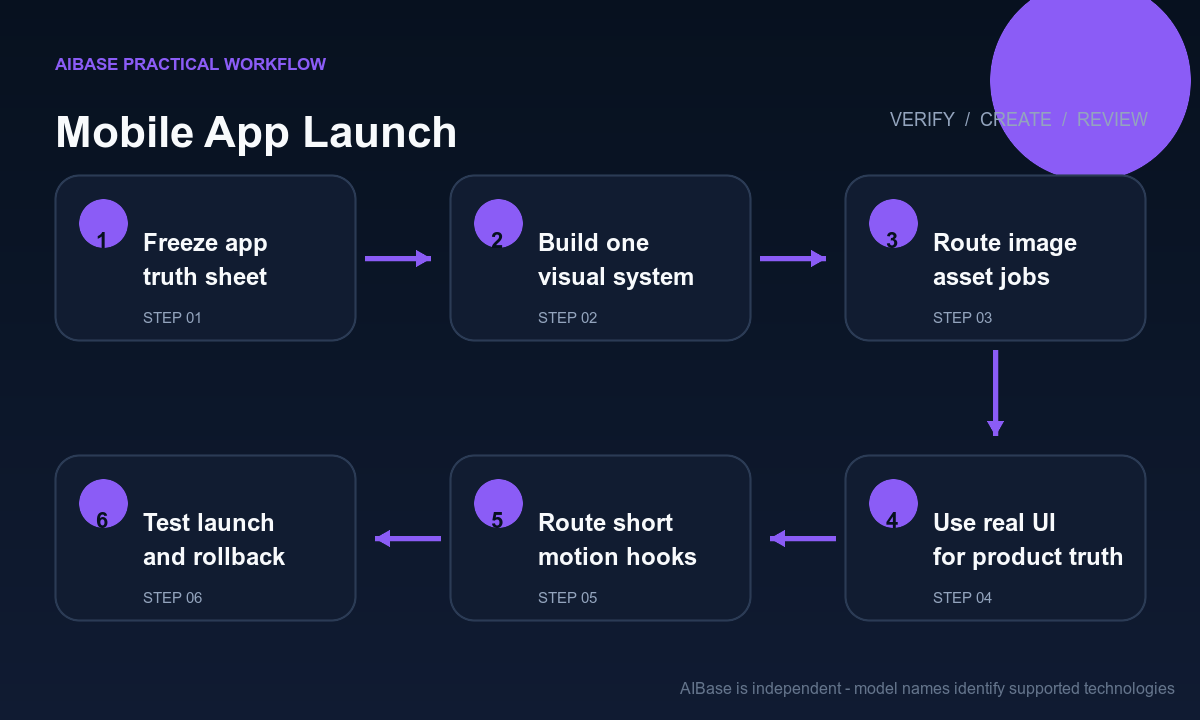
- Freeze a versioned truth sheet covering app name, build, platforms, regions, device support, features, UI captures, pricing, trial, permissions, privacy, data claims, integrations, reviews, ratings, metrics, availability, launch time, and destination owner.
- Build one text-free visual system with palette, geometry, device treatment, light, motion, screenshot, title, feature, proof, disclosure, caption, store-badge, CTA, and crop-safe zones for every channel.
- Use GPT Image 2 or Nano Banana Pro for selected hero and environment concepts, Seedream 5.0 Lite for controlled background variations, and real exported screens for every factual UI representation.
- Use Seedance 2 only for bounded motion based on approved screens or device composites; use Veo 3.1 Fast for short abstract hooks that do not depict specific features, outcomes, notifications, users, or reviews.
- Composite real UI recordings, exact app copy, feature names, platform badges, pricing, privacy language, disclosures, captions, licensed audio, CTA, tracking, and destination from controlled sources.
- Test store, landing page, email, feed, story, press, partner, localization, accessibility, device crop, playback, deep link, analytics, and rollback; update or retire every asset when the product build or offer changes.
Example prompt variants
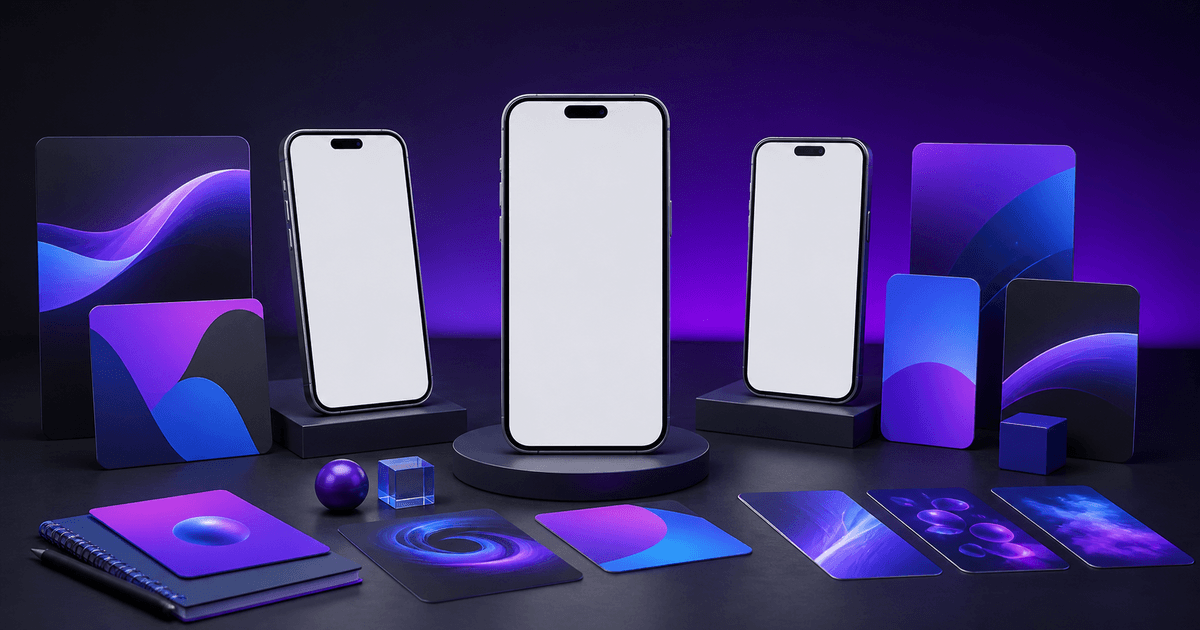
- GPT Image 2 hero: text-free wide launch background with one generic blank phone frame, violet-blue light planes and quiet left copy zone, no interface, feature, logo, badge, rating, review, number, notification, person, or result cue.
- Seedream 5.0 Lite variants: square and vertical text-free backgrounds derived from the approved geometric system, protected screenshot, title, proof, disclosure and CTA zones, no generated phone brand, UI, icon, word, metric, or store mark.
- Veo 3.1 Fast hook: four-second vertical abstract cards align around an empty phone-shaped frame with one slow push, stable screenshot composite zone, no app interface, notification, user, review, rating, feature behavior, text, sound, or claim.
Quality checklist
- App name, build, platform, region, device support, feature, UI, price, trial, permissions, privacy, integrations, reviews, ratings, metrics, availability, launch time, store status, and destination match the current truth sheet.
- Generated pixels contain no invented interface, feature, user, message, notification, review, rating, ranking, download count, result, integration, device logo, store badge, word, number, or proof.
- Real screenshots and recordings remain legible, current, unwarped, correctly localized, accessible, properly framed, and separate from decorative generated backgrounds.
- Static and motion variants preserve hierarchy, crop safety, contrast, disclosure, captions, audio rights, CTA, tracking, playback, deep links, and store-specific rules.
- Truth sheet, captures, permissions, prompts, generated assets, editable masters, approvals, launch versions, metrics, corrections, rollback, and retirement remain traceable.
Mistakes to avoid
- Generating the final app screen or promo clip and publishing invented controls, notifications, conversations, dashboards, integrations, ratings, reviews, results, or device behavior as product truth.
- Burning price, trial, platform, region, launch date, store badge, privacy promise, rating, review, metric, feature name, or CTA into visuals that will outlive the current build.
- Using one visual for every funnel stage and ratio, so screenshots become unreadable, disclosures disappear, device crops break, and the CTA no longer matches the destination.
- Launching scheduled assets without rechecking store approval, build availability, deep links, localization, privacy copy, pricing, permissions, analytics, rollback, and the current support route.
Related AIBase pages
- Open all AI image models
- Open all AI video models
- Create app store screenshot backgrounds
- Create mobile app promo videos
Practical next step
Open the most relevant AIBase generator, run one narrow prompt first, and save the best result before adding more constraints. The fastest way to improve output quality is to compare one variable at a time: subject, camera, background, lighting, then final polish.