
Veo 3.1 Fast Mobile App Promo Video Prompt Templates
Draft short mobile app promo concepts with Veo 3.1 Fast using one benefit, screen-safe framing, replaceable UI placeholders, simple camera motion, and edit-ready shots.
Quick answer
Use Veo 3.1 Fast to create the live-action or stylized plate around one app benefit, but keep the phone screen simple and replace it with an approved screen recording in editing. A short shot with one subject action, one camera move, clear screen visibility, and generous copy-safe space is easier to composite and more truthful than asking the model to invent a functioning interface.
Who this guide is for
Growth marketers, indie developers, product teams, and agencies storyboarding short app-install ads, feature announcements, launch teasers, and social placements before compositing verified product UI.
Recommended model
| Use case | Recommended model | Why |
|---|---|---|
| This workflow | Veo 3.1 Fast for rapid promo-shot iteration | The fast video route fits short concept passes where teams need to test subject, setting, camera, pacing, and phone placement before final UI and copy are added in post. |
AIBase is an independent creative platform. Model names are shown only to identify supported underlying technologies and workflow choices.
Prompt template
Create a [duration] [aspect ratio] mobile app promo plate about [one user benefit] for [audience]. Scene: [setting]. Subject performs only [one action] with a modern smartphone. Keep the screen flat, front-facing, evenly lit, unobstructed, and filled with a simple neutral tracking placeholder with no readable UI. Camera: [one move]. Reserve [copy-safe area]. End with the phone stable for compositing. No invented interface, readable notification, app logo, claim, rating, review, price, download badge, extra finger, warped phone, screen reflection, cut, transition, watermark, or implied real testimonial.
Step-by-step workflow
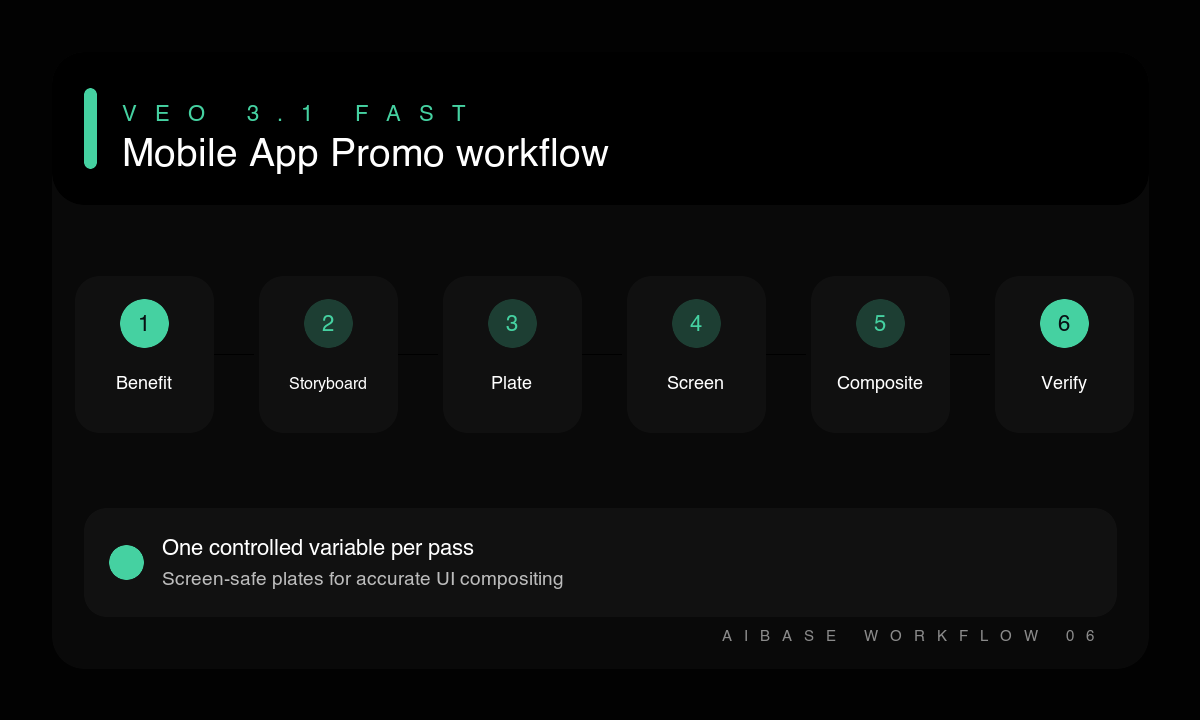
- Choose one user benefit, audience, channel, aspect ratio, duration, and call to action.
- Storyboard one human action and one final phone-screen hold that communicates the benefit without fake UI.
- Prepare an approved screen recording separately with accurate states, data, permissions, and account content.
- Generate the environmental plate with one camera move and a neutral screen-tracking surface.
- Composite the approved screen, exact copy, logo, disclosure, and platform badges during editing.
- Review phone geometry, hands, gaze, screen perspective, claim accuracy, crop, pacing, and readable final frame.
Example prompt variants
- Six-second 9:16 promo plate for a travel-planning app: commuter checks a phone at a train platform, relieved expression, one slow push-in, phone screen front-facing with neutral tracking fill, clean upper copy space.
- Six-second square promo plate for a meal-planning app: parent sets one grocery item beside a phone on a kitchen counter, overhead-to-three-quarter micro move, screen stable and blank for compositing, warm daylight.
- Eight-second 16:9 promo plate for a team-focus app: designer places phone beside a laptop and starts a timer, subtle lateral slide, clean right copy area, neutral phone screen held still at the end.
Quality checklist
- The shot communicates one app benefit before any words or interface are added.
- Phone shape, hand anatomy, screen plane, reflections, and perspective remain stable.
- All visible UI, claims, ratings, prices, badges, and user data come from approved assets.
- The camera and subject perform one readable action with a clean compositing hold.
- Copy-safe space, disclosure, sound rights, and platform crop are checked in the final edit.
Mistakes to avoid
- Prompting the model to invent detailed screens, readable notifications, ratings, or product claims.
- Trying to show several features and multiple locations in one short generated shot.
- Using a reflective, tilted, moving screen that is difficult to track and replace.
- Presenting a generated actor or reaction as a real customer testimonial.
Related AIBase pages
Practical next step
Open the most relevant AIBase generator, run one narrow prompt first, and save the best result before adding more constraints. The fastest way to improve output quality is to compare one variable at a time: subject, camera, background, lighting, then final polish.