
Seedream 5.0 Lite App Store Screenshot Background Prompts
Generate fast, text-free App Store screenshot backgrounds with clear phone, UI, headline, and crop zones, then assemble truthful product screens in a design tool.
Quick answer
Use Seedream 5.0 Lite for quick text-free background directions, not for the app interface itself. Define a repeatable visual system, reserve a precise zone for an approved device frame and real screenshot, and leave a separate headline area. Assemble the UI, text, ratings, and feature claims from verified sources after generation.
Who this guide is for
Mobile app founders, growth designers, indie developers, product marketers, and agencies producing a coherent screenshot sequence for store listings, localization tests, or feature launches.
Recommended model
| Use case | Recommended model | Why |
|---|---|---|
| This workflow | Seedream 5.0 Lite | Fast concept generation helps teams compare palettes, depth cues, and decorative systems before committing to the exact UI and localized type treatment. |
AIBase is an independent creative platform. Model names are shown only to identify supported underlying technologies and workflow choices.
Prompt template
Create a text-free portrait background for app-store screenshot panel [number] about [verified feature]. Canvas ratio: [required placement]. Brand palette: [colors]. Mood: [two traits]. Composition: calm headline zone in the [top], clean approved-device and real-UI placement zone in the [center/lower area], subtle depth from [one shape/material system], and shared safe margins for localization. Maintain the same visual grammar as the series. No phone, screen, interface, icon, logo, headline, rating, review, badge, feature claim, price, notification, person, trademark, readable text, watermark, or important detail near crop edges.
Step-by-step workflow
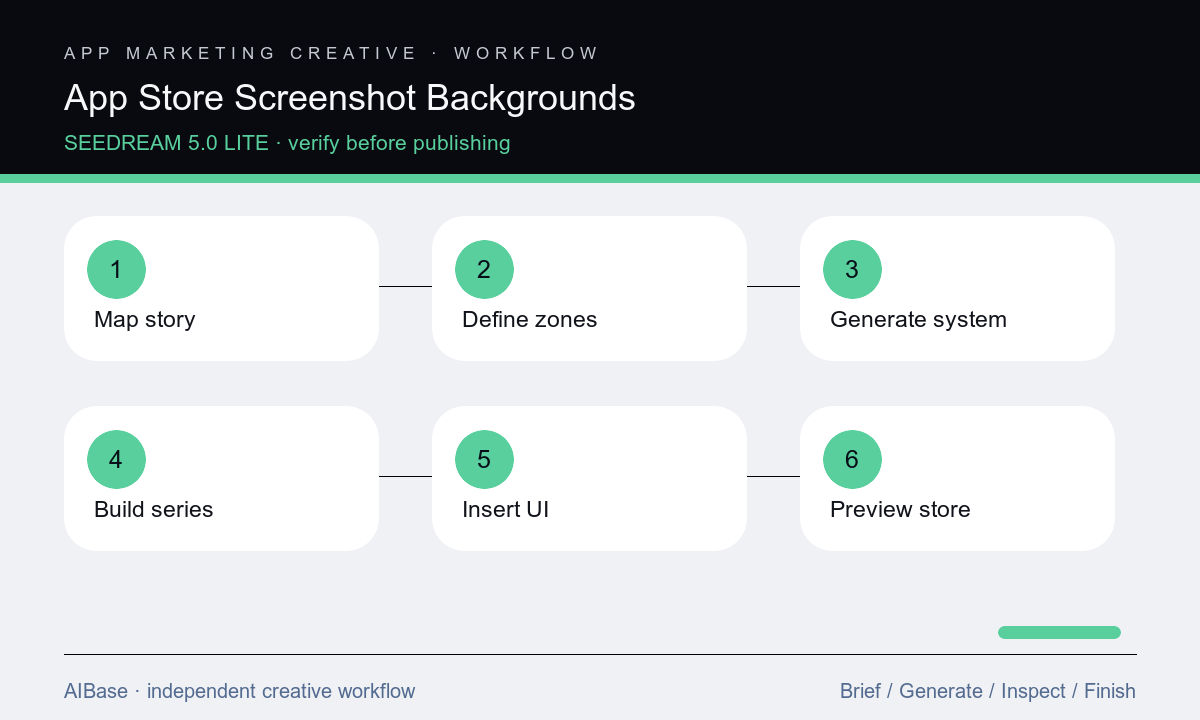
- Confirm current store specifications, locales, product truth, screenshot sequence, verified feature claims, target devices, safe margins, and which panels must work without text.
- Storyboard one message per panel with fixed headline, device, UI focal point, background depth, and shared series elements before creating decorative art.
- Generate three text-free background systems, then choose one based on readability, brand fit, localization room, and consistency rather than decorative novelty.
- Create the full background series by changing only the panel accent or depth cue while keeping palette, horizon, margins, and lighting coherent.
- Insert approved device frames and current product screenshots, then add verified headlines, captions, badges, and localized copy as editable layers.
- Preview the sequence at store-thumbnail size and on target devices, verify UI and claims against the shipping product, then export and archive each locale master.
Example prompt variants
- Text-free portrait background for a budgeting app screenshot, navy-to-sky gradient, soft translucent cards as depth cues, calm headline zone top and large phone-screen zone center, no UI, numbers, coins, logos, or text.
- Text-free app-store panel background for a language-learning feature, warm coral and cream paper arcs, quiet top third, centered device zone, tiny abstract speech rhythm only, no alphabet, flags, interface, mascot, or words.
- Text-free screenshot background for a fitness-planning app, charcoal field with restrained lime path lines behind the device zone, generous headline space, no body transformation, health metric, UI, person, badge, or claim.
Quality checklist
- Every panel communicates one verified feature and the ordered sequence tells a clear product story at thumbnail size.
- Device frames and screenshots are current, approved, correctly scaled, free of personal data, and not generated or visually altered.
- Headlines, ratings, reviews, prices, badges, metrics, and feature claims are editable and verified for each market and app version.
- Backgrounds maintain a coherent palette, depth system, safe margins, contrast, localization room, and no accidental UI-like artifacts.
- Exports match current store dimensions, ordering, file rules, locale, accessibility plan, release version, and rollback archive.
Mistakes to avoid
- Prompting for a complete app-store screenshot and publishing a plausible but nonexistent interface.
- Using a different art style on every panel so the listing reads as unrelated ads instead of one product story.
- Leaving only enough room for short English copy and breaking layouts when localized headlines expand.
- Showing outdated screens, unshipped features, personal test data, unsupported ratings, or metrics that the product team has not approved.
Related AIBase pages
- Open Seedream 5.0 Lite
- Create SaaS feature launch visuals
- Build LinkedIn post backgrounds
- Create blog featured-image backgrounds
Practical next step
Open the most relevant AIBase generator, run one narrow prompt first, and save the best result before adding more constraints. The fastest way to improve output quality is to compare one variable at a time: subject, camera, background, lighting, then final polish.