
GPT Image 2 Amazon Storefront Banner Background Prompts with Safe Product Zones
Create text-free Amazon Storefront banner backgrounds with GPT Image 2 while keeping exact products, brand assets, claims, typography, and responsive crops controlled.
Quick answer
Generate a background system, not a finished factual banner. Define one storefront module, its desktop and mobile crops, an empty zone for approved product cutouts, and a quiet area for editable copy. Composite exact SKUs, logos, headlines, offers, ratings, and required disclosures afterward, then preview every responsive placement before publishing.
Who this guide is for
Amazon sellers, brand-store managers, ecommerce designers, agencies, and catalog teams building seasonal hero modules, category navigation panels, collection banners, or brand-story backgrounds.
Recommended model
| Use case | Recommended model | Why |
|---|---|---|
| This workflow | GPT Image 2 for text-free background and composition exploration | It can explore commercial scenes and negative-space layouts quickly while the final storefront keeps products and factual elements in controlled layers. |
AIBase is an independent creative platform. Model names are shown only to identify supported underlying technologies and workflow choices.
Prompt template
Create a text-free Amazon Storefront [hero / category / collection] banner background for [product category and verified message]. Canvas family: [desktop ratio] with a protected [mobile crop] center. Reserve an empty exact-product zone at [position], a calm editable headline zone at [position], and unobstructed room for [CTA / disclosure]. Scene materials, palette, lighting, and maximum props: [specific]. Keep edges simple for responsive cropping. Do not generate any product replica, package, logo, letter, number, price, discount, rating, badge, certification, claim, person, interface, marketplace mark, or watermark.
Step-by-step workflow
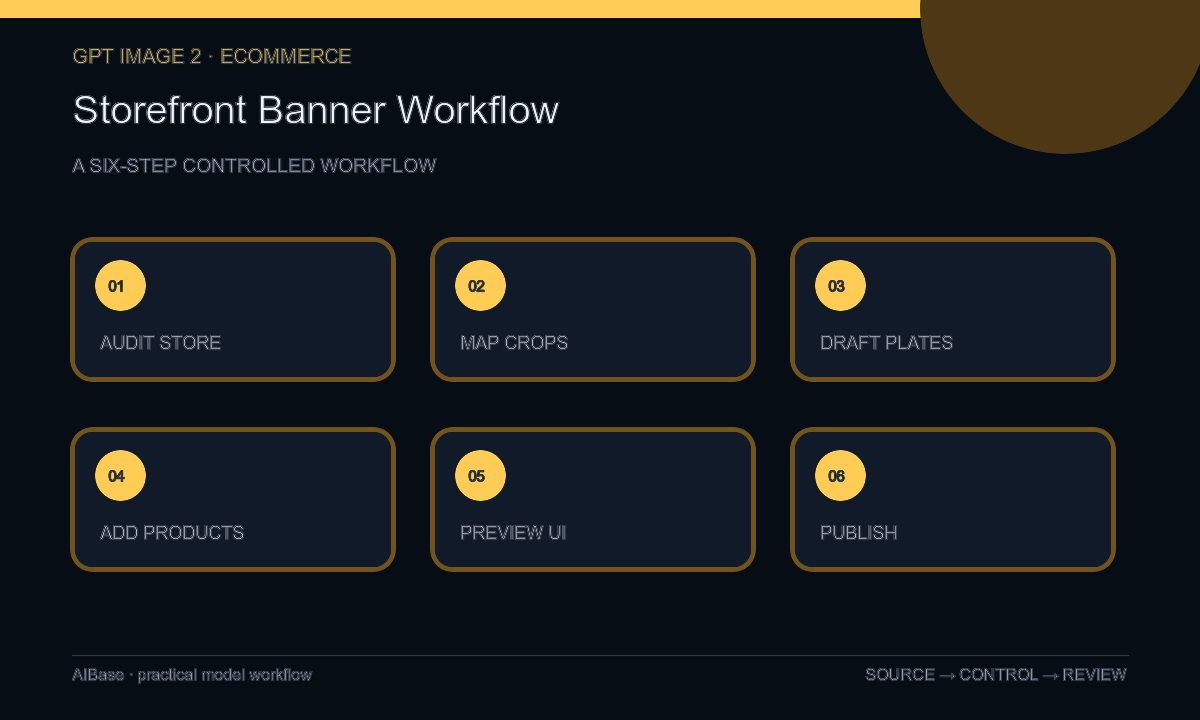
- Audit the current Storefront structure, module dimensions, responsive behavior, approved SKUs, brand kit, copy, claims, links, campaign dates, and category hierarchy.
- Assign one job to each banner and sketch exact product, headline, CTA, disclosure, and mobile-safe zones before generating any background.
- Generate text-free background families that vary one variable—surface, prop arrangement, palette, or light—while retaining the same safe-zone geometry.
- Composite current authorized product cutouts, logo, copy, offer terms, and any compliance text in the design file without asking the model to redraw them.
- Preview the actual desktop, mobile, and app crops; inspect product scale, edge collisions, copy contrast, CTA visibility, category continuity, and destination accuracy.
- Publish only approved modules, retain source and layer history, and schedule replacement when pricing, inventory, product version, claim, or campaign timing changes.
Example prompt variants
- Text-free wide Storefront hero background for a verified home-organization collection, pale oak shelf planes and soft morning window shadows, three empty product zones right, calm copy area left, mobile-safe center, no bins, products, labels, text, or badges.
- Text-free category banner background for outdoor drinkware, abstract sandstone blocks with cool sky reflection and an empty center packshot zone, restrained blue and clay palette, no bottle, landscape claim, logo, word, or marketplace interface.
- Text-free seasonal collection module for desk accessories, midnight navy surface with one warm light band and two empty product footprints, quiet top-right copy zone, no device, accessory, price, rating, icon, or wording.
Quality checklist
- Every exact product, package, variant, color, included item, logo, and claim comes from a current approved asset rather than generated pixels.
- The background serves one module job and preserves desktop, mobile, and app crop-safe zones for product, copy, CTA, and disclosure.
- Typography, price, promotion terms, ratings, badges, certifications, and marketplace-required information remain readable editable layers.
- Links, category labels, availability, product version, campaign dates, and destination pages are current at publication.
- Prompts, selected background, product sources, composite layers, approvals, previews, publication date, and retirement rule remain traceable.
Mistakes to avoid
- Generating a complete banner that invents plausible products, packaging, ratings, badges, prices, or promotional wording.
- Designing only a desktop composition and allowing mobile cropping to remove the product, headline, CTA, or disclosure.
- Mixing several category messages and too many props into one banner instead of giving each module one job.
- Leaving a time-sensitive offer or discontinued SKU live because the generated background looked evergreen.
Related AIBase pages
- Open GPT Image 2
- Create Amazon listing images
- Create ecommerce category banners
- Plan product detail page images
Practical next step
Open the most relevant AIBase generator, run one narrow prompt first, and save the best result before adding more constraints. The fastest way to improve output quality is to compare one variable at a time: subject, camera, background, lighting, then final polish.