
GPT Image 2 Annual Report Cover Background Prompts for B2B Teams
Generate text-free annual report cover backgrounds with GPT Image 2 while keeping company identity, financial facts, charts, dates, accessibility, and legal copy editable and exact.
Quick answer
Ask GPT Image 2 for a text-free visual foundation, not a finished annual report cover. Define one approved theme, a quiet title zone, a protected logo area, print trim and bleed, and a visual metaphor that does not imply unverified growth, sustainability, diversity, geography, infrastructure, or customer outcomes. Add the company name, reporting period, financial language, charts, and legal details as exact layout layers afterward.
Who this guide is for
In-house communications teams, B2B designers, agencies, nonprofits, and investor-relations teams exploring cover directions for annual, impact, ESG, foundation, or stakeholder reports.
Recommended model
| Use case | Recommended model | Why |
|---|---|---|
| This workflow | GPT Image 2 for text-free report-cover concept exploration | A text-to-image workflow can produce controlled abstract and editorial background directions quickly while factual corporate information stays outside generated pixels. |
AIBase is an independent creative platform. Model names are shown only to identify supported underlying technologies and workflow choices.
Prompt template
Create a text-free annual report cover background for [organization type] around the approved theme [theme]. Format: [page size and orientation] with [bleed], quiet title zone at [position], protected logo zone at [position], and readable contrast behind future typography. Visual language: [abstract geometry / material study / nonliteral editorial scene], palette [approved colors], depth [specific], print-safe detail. The image must not imply financial growth, measured impact, sustainability performance, geographic presence, owned facilities, customer scale, workforce identity, award, certification, partnership, product capability, or future result. No company replica, logo, letter, number, chart, map, person, currency, badge, signature, or watermark.
Step-by-step workflow
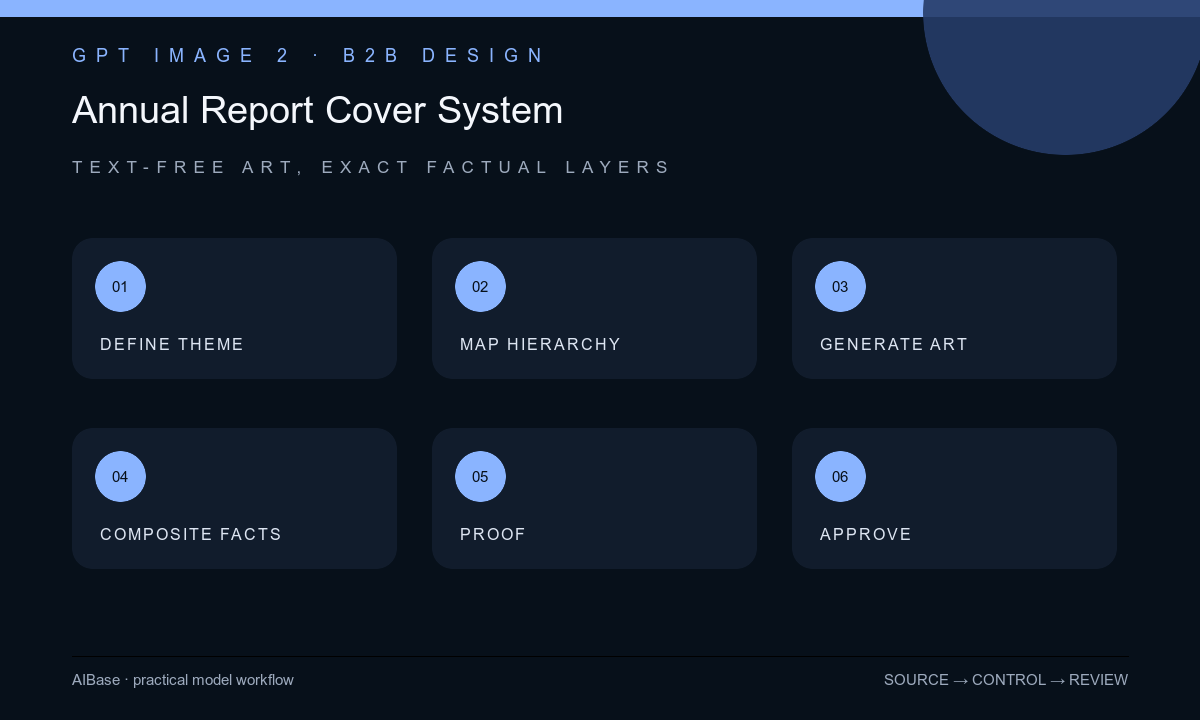
- Confirm the report type, reporting period, audience, approved narrative, brand palette, paper and digital formats, trim, bleed, binding, accessibility targets, and claims-review owner.
- Translate the approved narrative into one non-factual visual principle such as connection, resilience, focus, stewardship, or transition, then list metaphors that would create unsupported implications.
- Map title, organization name, period, logo, subtitle, legal line, and spine zones before generation; reserve sufficient quiet space for large and small-format crops.
- Generate several text-free background families, changing only geometry, material, depth, or color balance while keeping the same hierarchy and print constraints.
- Composite exact typography and marks in the layout tool, then proof at thumbnail size, screen size, grayscale, high contrast, trim, spine, and physical-print simulation.
- Run brand, finance, legal, sustainability, accessibility, and production review; archive the prompt, selected background, licensed inputs, layered file, proofs, approvals, and final exports.
Example prompt variants
- Portrait report-cover background, interlocking translucent planes suggesting coordination without arrows or upward motion, deep navy and muted teal, calm title area upper left, print-safe grain, no building, globe, chart, person, word, or number.
- Text-free nonprofit impact-report background, restrained paper-cut circles connected on one level plane, warm cream and aubergine, open center for title, no community scene, beneficiary, donation, map, metric, badge, or outcome claim.
- Minimal technology annual-report background, precise modular grid with one soft light transition and no directional growth cue, graphite and cobalt palette, protected logo corner, no interface, server, code, graph, digit, or futuristic claim.
Quality checklist
- The background supports the approved report narrative without suggesting a financial, environmental, social, geographic, workforce, customer, or product fact.
- Title, period, organization name, logo, legal line, spine, trim, bleed, and alternate crops have protected readable zones.
- All names, dates, numbers, charts, claims, certifications, marks, and disclosures are exact editable elements outside the generated image.
- Color, contrast, detail, grain, and edge placement survive screen, print, grayscale, thumbnail, and accessibility review.
- Prompt, sources, background, layered artwork, proofs, factual approvals, production profile, and exports remain traceable.
Mistakes to avoid
- Prompting for a successful growing global company and receiving visual claims the report may not substantiate.
- Letting the model generate the company name, reporting year, chart, map, certification, or financial wording inside the cover art.
- Choosing a detailed image before mapping title, spine, bleed, mobile preview, and accessible contrast zones.
- Treating an attractive globe, wind turbine, diverse team, laboratory, or factory as harmless decoration when it implies real operations or impact.
Related AIBase pages
- Open GPT Image 2
- Create case study cover backgrounds
- Create lead magnet cover backgrounds
- Create trade show booth backgrounds
Practical next step
Open the most relevant AIBase generator, run one narrow prompt first, and save the best result before adding more constraints. The fastest way to improve output quality is to compare one variable at a time: subject, camera, background, lighting, then final polish.