
GPT Image 2 Trade Show Booth Background Prompts for Editable Brand Graphics
Create text-free trade show booth concept backgrounds with GPT Image 2, then composite exact logos, products, claims, dimensions, and signage as controlled layers.
Quick answer
Generate the booth as a text-free spatial concept with clearly reserved zones for the exact logo, headline, screens, demo counter, product, storage, and visitor flow. Treat the result as visual direction, not a fabrication drawing. Add approved graphics in layout software and have the venue, fabricator, accessibility lead, and safety reviewer validate real measurements, materials, loads, power, lighting, and exits.
Who this guide is for
Event marketers, founders, agencies, conference teams, and exhibit designers exploring a 10-by-10 booth, modular stand, demo area, or branded backdrop before technical design and fabrication.
Recommended model
| Use case | Recommended model | Why |
|---|---|---|
| This workflow | GPT Image 2 | It is useful for rapidly comparing bounded spatial and art-direction concepts when generated text, exact products, dimensions, structural details, and compliance information remain outside the generated plate. |
AIBase is an independent creative platform. Model names are shown only to identify supported underlying technologies and workflow choices.
Prompt template
Create a text-free trade show booth concept background for [brand category] at [event type]. Approximate visual footprint: [inline / corner / island], shown only for composition planning, not construction. Audience action: [discover / watch demo / scan / meet]. Reserve clean editable zones for [logo fascia, headline wall, screen, exact product, demo counter, CTA]. Visual system: [materials, palette, light], with an open entrance, legible focal hierarchy, realistic visitor circulation, and uncluttered sightlines from [aisle direction]. Do not generate logos, words, QR codes, claims, product replicas, people blocking access, exact dimensions, rigging, electrical plans, fire equipment, venue marks, competitor branding, or structural promises. Return one plausible concept plate for professional layout and technical review.
Step-by-step workflow
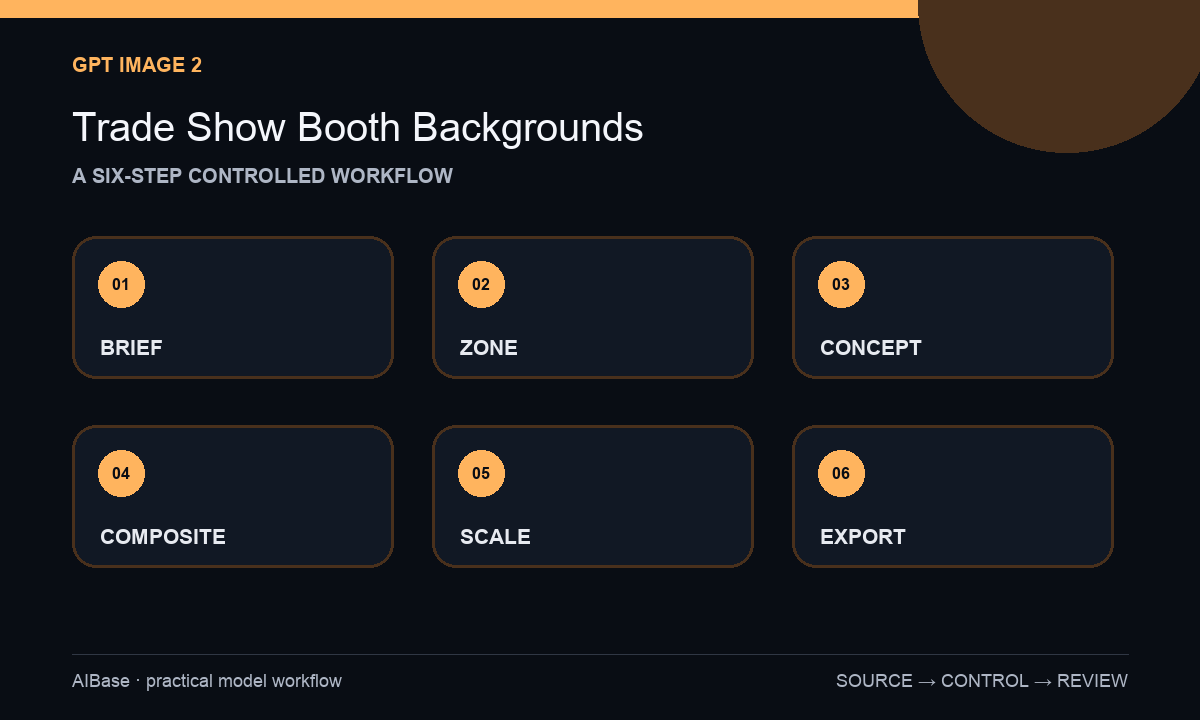
- Write a booth brief with event, footprint class, aisle exposure, visitor goal, product or demo needs, storage, staffing, accessibility, budget band, brand assets, venue rules, and approval owners.
- Draw a simple zone map for entry, welcome, demo, conversation, product, screen, graphics, storage, and queue before generating any visual concept.
- Generate three text-free directions that vary one choice at a time, such as open versus framed architecture, warm versus technical material, or demo-first versus conversation-first layout.
- Choose one direction and composite exact logo, approved copy, QR destination, real product imagery, screen capture, and CTA as editable layers using the official brand kit.
- Test the concept at likely aisle views and human scale, then check legibility, occlusion, reach range, queue behavior, wheelchair turning, cable paths, screen glare, photography, and mobile crops.
- Hand the concept to the fabricator and venue for measured drawings, materials, load, power, lighting, fire, accessibility, installation, and safety validation before production.
Example prompt variants
- Text-free 10-by-10 software conference booth concept, open front, one calm demo-screen zone, compact meeting counter, hidden storage volume, warm white and cobalt palette, clear logo fascia placeholder, no copy, UI, QR code, dimension, or construction detail.
- Text-free corner booth concept for a sustainable home-goods brand, recycled-paper texture and pale timber visual direction, unobstructed two-aisle entry, exact-product plinth zones and large editable message wall, no green claim, leaf icon, logo, people, or fabricated specification.
- Text-free island booth art direction for a robotics demo, dark neutral floor, controlled linear light, safe visual buffer around a central approved-demo zone, four clear approach paths and elevated brand zone, no robot replica, barrier promise, signage, measurement, or rigging plan.
Quality checklist
- The concept supports one primary visitor action and preserves visible, reachable zones for exact brand, product, screen, demo, CTA, and storage needs.
- Generated pixels contain no logo, wording, QR code, product fact, claim, certification, dimension, price, date, venue mark, or technical instruction.
- Entry, circulation, queue, sightlines, screen viewing, staff positions, and accessibility are plausible at the intended footprint and aisle exposure.
- Exact graphics remain editable and technical feasibility is clearly separated from the concept image.
- Brief, zone map, prompts, outputs, composites, brand approval, fabricator drawings, venue review, and final files remain traceable.
Mistakes to avoid
- Asking the model for a beautiful booth without defining footprint, aisle, visitor action, zones, or controlled graphic areas.
- Sending a generated concept directly to fabrication as if perspective, dimensions, materials, structure, power, and safety were verified.
- Allowing generated logos, copy, QR codes, screens, products, or sustainability claims to become presentation-ready facts.
- Choosing a dramatic closed facade that hides the demo, narrows entry, blocks accessibility, or fails when seen from the actual aisle.
Related AIBase pages
- Open GPT Image 2
- Create event poster backgrounds
- Build event promo video concepts
- Plan a product launch campaign
Practical next step
Open the most relevant AIBase generator, run one narrow prompt first, and save the best result before adding more constraints. The fastest way to improve output quality is to compare one variable at a time: subject, camera, background, lighting, then final polish.