
Seedream 5.0 Lite Lead Magnet Cover Background Prompts
Draft text-free ebook, checklist, report, and guide cover backgrounds with clear title hierarchy, mobile readability, and editable factual copy.
Quick answer
Generate only the cover’s visual system: one relevant metaphor, a restrained palette, a low-detail title zone, and a secondary area for author or edition information. Add the exact title, subtitle, author, date, edition, logo, and claims in a layout tool. Judge every direction as a small thumbnail because most lead magnets are first seen in a card, email, or mobile landing page.
Who this guide is for
Content marketers, consultants, SaaS teams, educators, agencies, and small businesses packaging an ebook, checklist, playbook, report, worksheet, or resource guide for download.
Recommended model
| Use case | Recommended model | Why |
|---|---|---|
| This workflow | Seedream 5.0 Lite | Fast text-to-image iteration is useful for comparing several cover metaphors and palettes before typography and factual information are added in a controlled design file. |
AIBase is an independent creative platform. Model names are shown only to identify supported underlying technologies and workflow choices.
Prompt template
Create a text-free portrait cover background for a [ebook/checklist/report/playbook] about [specific topic] for [audience]. Verified promise: [one restrained takeaway used only to guide the visual]. Visual metaphor: [one concrete object or system]. Style: [editorial/studio/diagrammatic], palette [approved colors], mood [specific]. Reserve a calm high-contrast title zone in the upper [half/third], a smaller subtitle zone, and a quiet footer area for author and brand. Keep the focal cue recognizable at thumbnail size and inside safe margins. No title, letters, numbers, author name, logo, document pages with text, chart labels, badge, ranking, testimonial, result claim, certification, watermark, border, or tiny decorative clutter.
Step-by-step workflow
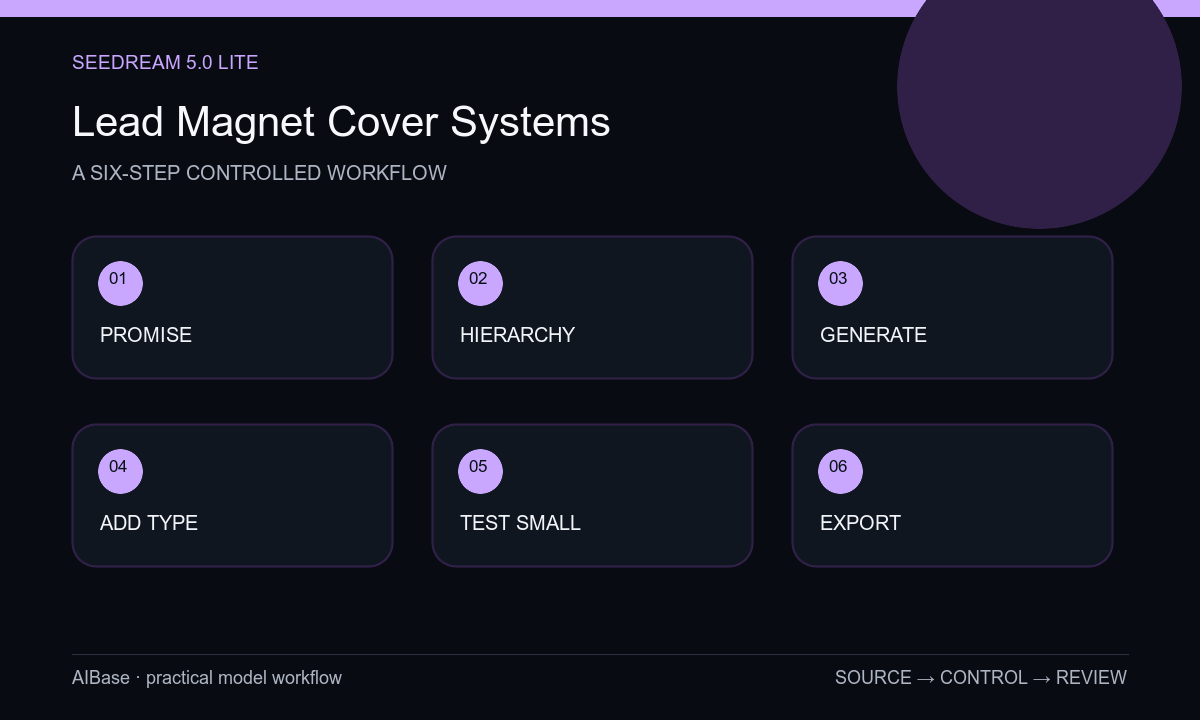
- Define the resource type, specific audience, honest promise, title length, subtitle length, author line, brand rules, download placement, and required portrait and thumbnail sizes.
- Sketch title, subtitle, focal cue, footer, and bleed-safe zones before selecting a visual metaphor; reject concepts that require explanatory detail.
- Generate three text-free cover systems with the same hierarchy but different metaphors, palettes, or material treatments.
- Select the direction that communicates at thumbnail size, simplify any noisy area, and remove generated marks or pseudo-lettering.
- Add exact title, subtitle, author, edition, date, logo, and disclosure as editable type with accessible contrast and sensible line breaks.
- Test the cover in the landing-page card, email preview, PDF first page, social crop, and grayscale print before exporting and archiving the master.
Example prompt variants
- Text-free portrait cover for a small-business inventory checklist, modular labeled-shape metaphor without actual labels, navy and apricot palette, large quiet upper title zone, simple lower-right focal stack, no boxes with text or fake metrics.
- Text-free cover for a remote-team facilitation playbook, intersecting translucent paper paths forming one clear route, cobalt and warm-gray palette, clean upper half for a two-line title, no people, app UI, speech bubbles, or lettering.
- Text-free cover for an ecommerce product-photo guide, one abstract studio pedestal with a movable light arc, charcoal and pale mint palette, restrained center image and quiet top title zone, no product replica, camera logo, claim, or text.
Quality checklist
- The metaphor supports the actual topic and audience without implying results, rankings, research, or credentials the resource does not contain.
- Title, subtitle, author, edition, date, logo, claims, and legal copy remain exact editable layers.
- The title zone has stable contrast, enough line-break room, safe margins, and no detailed texture behind small type.
- The focal cue remains recognizable in email and landing-page thumbnails as well as the full PDF cover.
- Source rights, prompt, layered file, typography, contrast, spellcheck, edition owner, and replacement workflow are documented.
Mistakes to avoid
- Asking the model to render a long exact title, author, statistics, and logo inside the generated image.
- Choosing an elaborate metaphor that becomes meaningless when the cover is displayed as a small card.
- Using stock business symbols that imply growth, revenue, certification, or guaranteed outcomes not supported by the resource.
- Finishing only the full-size cover and skipping email, landing-page, social, grayscale, and PDF preview checks.
Related AIBase pages
- Open Seedream 5.0 Lite
- Create blog featured images
- Build webinar promotion backgrounds
- Use landing-page hero templates
Practical next step
Open the most relevant AIBase generator, run one narrow prompt first, and save the best result before adding more constraints. The fastest way to improve output quality is to compare one variable at a time: subject, camera, background, lighting, then final polish.