
GPT Image 2 Facebook Cover Background Prompts with Mobile-Safe Copy Space
Generate text-free Facebook Page cover backgrounds with GPT Image 2, then add approved products, business copy, and calls to action as editable layers.
Quick answer
Generate only a wide text-free background with the focal cue and important texture inside a center-safe region. Add the real logo, business name, offer, dates, product photos, and CTA later in a design tool. Preview the current Page cover on desktop and mobile before publishing because profile overlays and responsive crops can hide edge content.
Who this guide is for
Local businesses, ecommerce brands, creators, agencies, nonprofits, and community teams refreshing a Facebook Page cover for a launch, seasonal message, event, service category, or evergreen brand introduction.
Recommended model
| Use case | Recommended model | Why |
|---|---|---|
| This workflow | GPT Image 2 | It is useful for exploring coherent wide backgrounds and prop directions while exact business facts, product imagery, typography, and platform-dependent placement stay controlled outside generation. |
AIBase is an independent creative platform. Model names are shown only to identify supported underlying technologies and workflow choices.
Prompt template
Create a text-free wide Facebook Page cover background for a [business/category] serving [specific audience]. Message context: [evergreen introduction/launch/event/season], used only to guide the visual. Brand mood: [three concrete traits]. Palette: [approved colors]. Visual cue: [one object, material, or scene family]. Composition: keep the center region calm and meaningful for mobile crops, reserve a high-contrast copy zone at [center-left/center-right], and keep secondary details away from outer edges and lower overlay areas. No logo, business name, headline, date, price, discount, CTA, button, product replica, address, phone, testimonial, rating, certification, readable text, watermark, border, or crucial detail near crop edges.
Step-by-step workflow
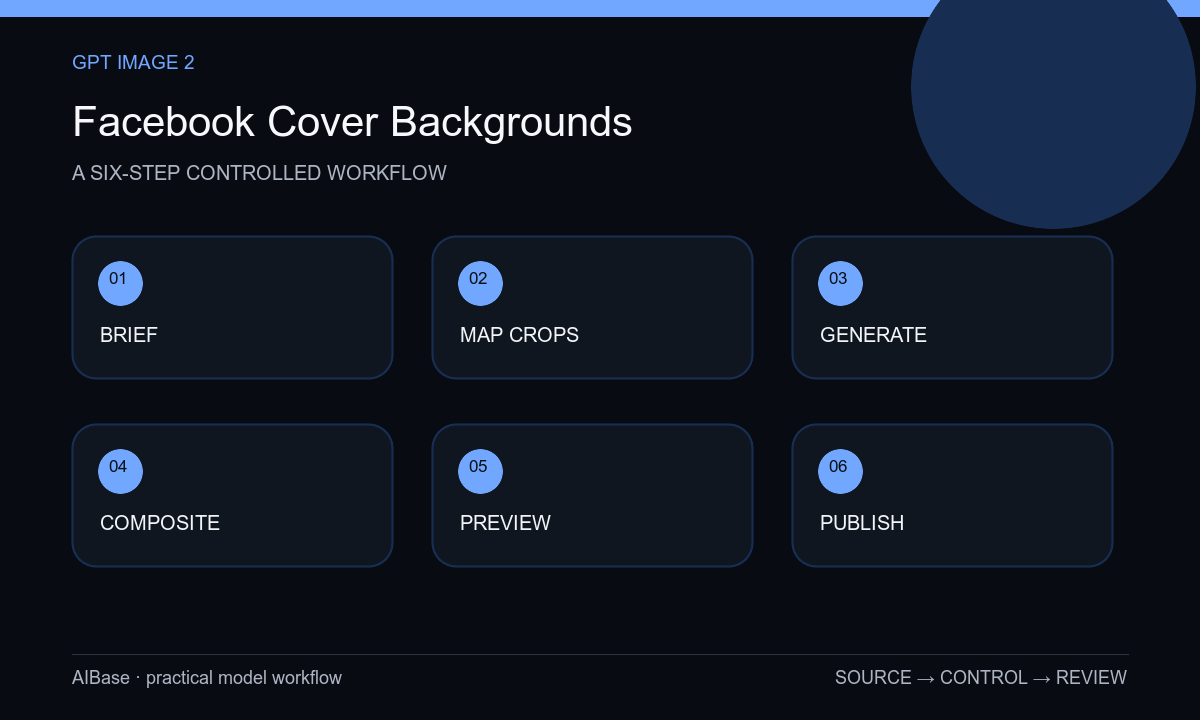
- Write one cover objective, audience, verified message, destination, active dates, visual identity, product or service references, and the current desktop and mobile preview requirements.
- Sketch the profile-image overlap, central mobile crop, copy zone, optional approved-product zone, and outer decorative zones before generating a background.
- Generate three text-free directions that change only one variable such as material, lighting, or seasonal cue while preserving the same hierarchy and safe region.
- Choose the quietest useful background, remove invented merchandise or readable marks, and composite authorized product photography only when the cover needs it.
- Add exact logo, headline, date, offer, and CTA as editable accessible type, then preview real crops at common desktop and mobile widths.
- Verify contrast, destination, claims, file quality, localization, alt-text plan, campaign expiration, and ownership before publishing and archiving the layered master.
Example prompt variants
- Text-free cover background for a neighborhood bakery, warm oat and terracotta palette, abstract flour-dust arc and linen texture, quiet center-left copy zone, visual detail centered for mobile, no bread replica, storefront, offer, or text.
- Text-free cover for a B2B analytics studio, deep navy field with one restrained translucent data-grid metaphor, calm center-right headline zone, shared safe center, no dashboard, chart labels, client logo, metric, or text.
- Text-free seasonal cover for a sustainable homewares shop, soft sage wall and sunlit recycled-paper shapes, approved-product zone near center-right and clean center-left copy space, no product replicas, certification, leaves as claims, or lettering.
Quality checklist
- The background supports one Page objective and the actual brand palette, audience, season, and destination.
- Logo, business name, products, prices, dates, offers, claims, ratings, addresses, and CTAs remain approved editable or composited assets.
- Desktop and mobile previews preserve the focal cue, copy hierarchy, contrast, profile-image clearance, and breathing room.
- No essential detail sits at an outer crop edge, under an overlay, or behind text; the exported image remains sharp at delivery size.
- Rights, source assets, prompt, layered master, accessibility review, destination check, owner, and removal date remain recorded.
Mistakes to avoid
- Generating a complete cover with exact logo, offer, phone number, CTA, and readable product packaging baked into pixels.
- Designing only for the widest desktop preview and losing the subject or headline zone on mobile.
- Filling every area with decorative objects so profile overlays and editable copy have nowhere to sit.
- Publishing time-sensitive offers without verifying terms, destination, inventory, localization, and a scheduled replacement date.
Related AIBase pages
- Open GPT Image 2
- Create Etsy shop banners
- Build ecommerce category banners
- Plan LinkedIn post backgrounds
Practical next step
Open the most relevant AIBase generator, run one narrow prompt first, and save the best result before adding more constraints. The fastest way to improve output quality is to compare one variable at a time: subject, camera, background, lighting, then final polish.