
Veo 3.1 Fast Event Promo Video Prompts for Short Social Teasers
Prototype short event promo shots with Veo 3.1 Fast using one hook, one visual beat, placement-safe framing, editable endings, and verified details added in post.
Quick answer
Use Veo 3.1 Fast to test short visual hooks, not to generate an entire event campaign in one clip. Give each shot one subject, one movement, one camera instruction, one mood, and a clean final hold; then edit selected shots together and add the real event name, date, venue, access details, sponsor assets, and licensed audio in post.
Who this guide is for
Event marketers, venues, conference teams, community organizers, and creators testing several short teaser directions for feeds, stories, paid social, venue screens, and announcement edits.
Recommended model
| Use case | Recommended model | Why |
|---|---|---|
| This workflow | Veo 3.1 Fast | The faster short-video workflow suits rapid hook and shot exploration before a team invests in a complete edit, verified typography, licensed footage, and final audio. |
AIBase is an independent creative platform. Model names are shown only to identify supported underlying technologies and workflow choices.
Prompt template
Create one [duration]-second [ratio] event teaser shot for [event type and audience]. Subject: [single visual subject]. Action: [one motion beat]. Camera: [one move]. Environment: [place and light]. Mood: [mood]. Composition: keep [top/bottom/side] safe for later typography. Start with [opening frame] and finish on [stable edit point]. No generated event name, date, venue, sponsor logo, ticket price, QR code, crowd identity, unsafe behavior, flashing pattern, scene cut, watermark, or implied documentary footage.
Step-by-step workflow
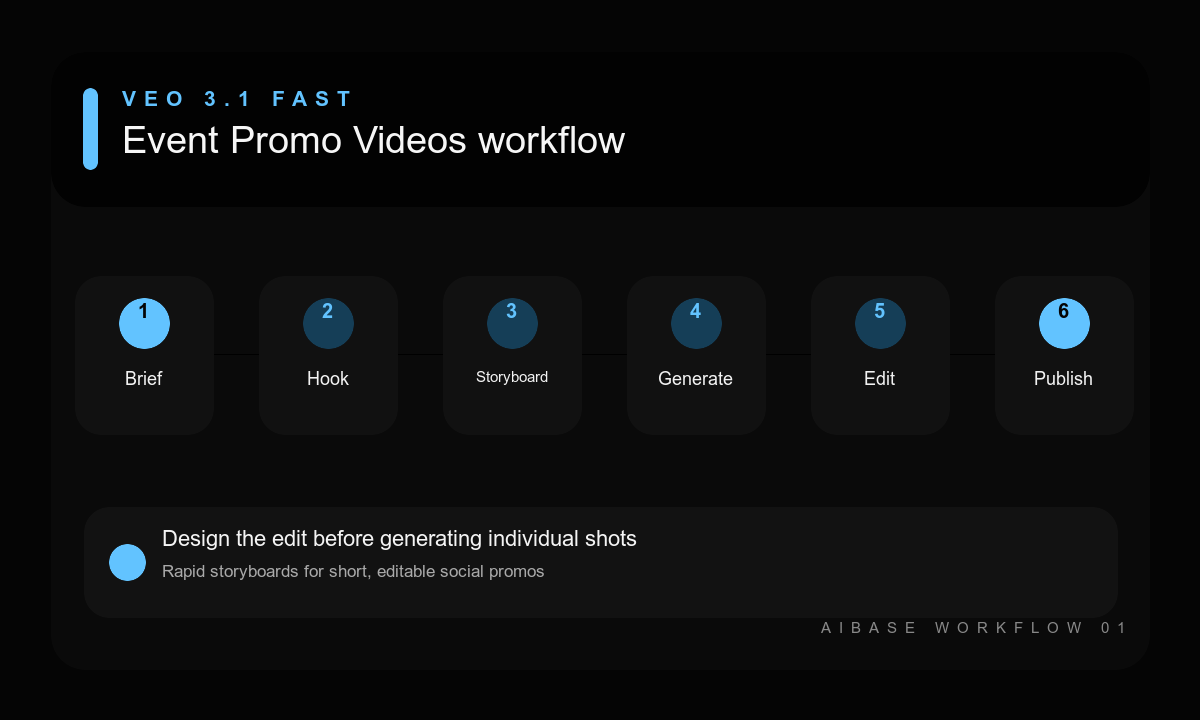
- Verify the event promise, audience, channels, schedule, venue, access information, sponsor rules, and asset rights.
- Choose one hook for each placement and storyboard three independent shots with clear beginning and ending frames.
- Generate each shot separately with one action and one camera move, keeping typography-safe space in the composition.
- Review visual continuity, crowd anatomy, venue plausibility, flashing risks, and whether synthetic scenes could be mistaken for real footage.
- Assemble only the strongest shots, add verified event information and licensed audio in post, and include disclosure where appropriate.
- Watch the final teaser muted, with sound, and at mobile size before completing organizer and accessibility review.
Example prompt variants
- Six-second 9:16 teaser for an independent design conference; one stack of translucent color panels unfolds into an abstract stage portal; slow push-in, cobalt and orange light, calm upper copy zone, finish on a stable wide frame.
- Eight-second 16:9 teaser for an evening food market; one empty string of warm bulbs switches on above colorful stalls before opening, camera glides forward slowly, no crowd or vendor identity, hold on the lit aisle.
- Six-second square teaser for a community dance workshop; close-up of colorful fabric ribbons moving once in a sunlit studio breeze, locked camera, energetic edge motion with quiet center for later copy, no performer.
Quality checklist
- The first second communicates one hook and the ending provides a clean edit or title-card point.
- Subject motion, camera behavior, light, anatomy, geometry, and background remain stable.
- Composition protects the real typography hierarchy and each channel’s safe areas.
- No generated date, venue, price, sponsor mark, crowd claim, or misleading documentary implication remains.
- The final edit passes mobile, muted, audio, flashing, rights, organizer, and accessibility review.
Mistakes to avoid
- Trying to generate a complete multi-scene teaser with title cards and a call to action in one prompt.
- Writing fast, exciting, cinematic without specifying the actual hook, motion, camera, or ending.
- Using synthetic crowds or venues in a way that implies footage from a real past event.
- Adding final event facts and sponsor logos inside the generation instead of controlled post-production.
Related AIBase pages
- Draft an event teaser with Veo 3.1 Fast
- Build Veo Fast product demo prompts
- Create vertical travel-reel prompts
- Draft an event poster background
Practical next step
Open the most relevant AIBase generator, run one narrow prompt first, and save the best result before adding more constraints. The fastest way to improve output quality is to compare one variable at a time: subject, camera, background, lighting, then final polish.