
HappyHorse Holiday Card Photo Animation Prompts for Subtle Family Motion
Animate authorized holiday-card photos with HappyHorse prompts that preserve identity, pose, clothing, decorations, consent, and a short loop for personal sharing.
Quick answer
Use a sharp group photo with permission from the depicted people, then assign one tiny motion per person and one background motion for the whole card. Preserve faces, age, body shape, pose, gaze, clothing, jewelry, decorations, and relationships; add the real greeting as editable text after the animation.
Who this guide is for
Families, photographers, card designers, community groups, and small teams creating private greetings, digital keepsakes, or short seasonal messages from authorized portraits.
Recommended model
| Use case | Recommended model | Why |
|---|---|---|
| This workflow | HappyHorse image-to-video | A portrait-oriented reference workflow fits restrained motion when the goal is to keep the supplied group portrait recognizable rather than invent a new scene. |
AIBase is an independent creative platform. Model names are shown only to identify supported underlying technologies and workflow choices.
Prompt template
Use the uploaded authorized holiday portrait as the exact identity, age, face, body, pose, gaze, clothing, accessory, decoration, lighting, camera, and composition reference. Create a [duration] subtle loop. Person 1: [one micro-motion]. Person 2: [one micro-motion]. Others: remain still except natural breathing and at most one blink. Background: only [one gentle light/snow/tree motion] without covering faces. Camera locked. End close to the first frame. No face morph, beautification, age change, body change, lip-sync, speech, new smile, gaze shift, hand movement, extra person, costume change, religious symbol invention, altered decoration, falling particles across eyes, readable greeting, logo, or watermark.
Step-by-step workflow
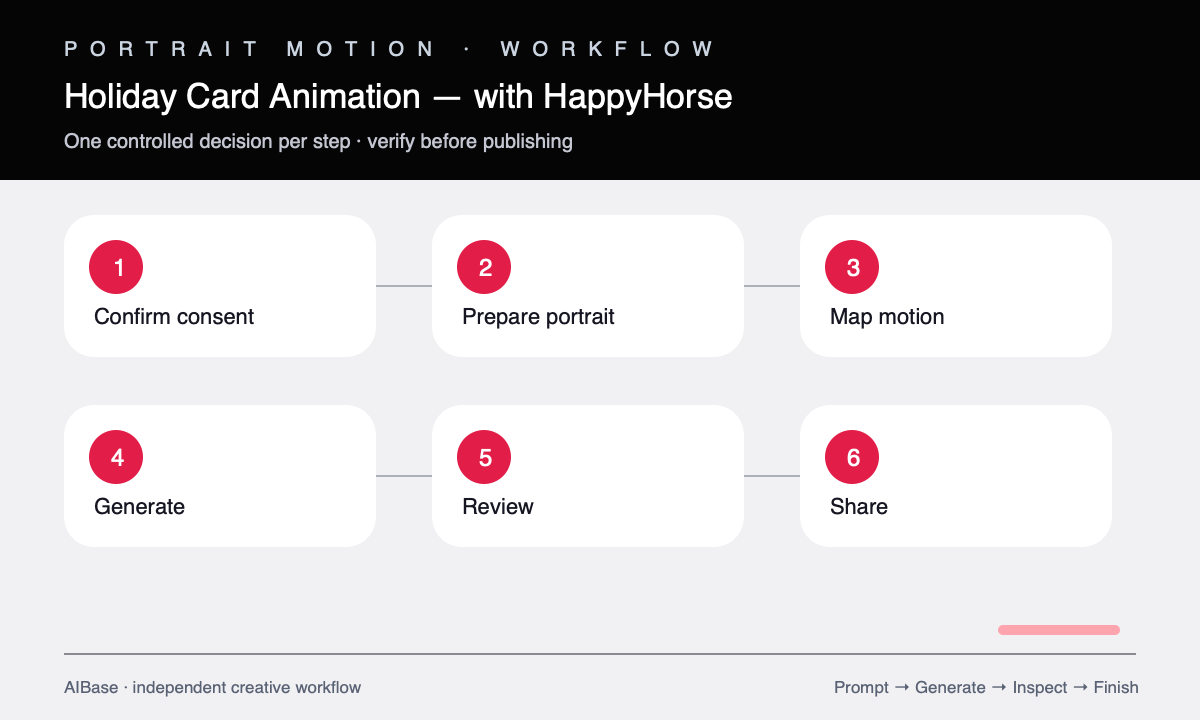
- Confirm permission, sharing scope, child-safety expectations, deceased-person preferences, and whether any religious or cultural symbols require special care.
- Choose a sharp source with visible faces, uncluttered edges, and enough resolution to inspect eyes, mouths, hands, clothing, jewelry, and decorations.
- Assign one micro-motion per visible person, prioritizing breathing, one blink, or a tiny head adjustment and leaving crowded or occluded subjects still.
- Add only one environmental motion such as a gentle tree-light pulse or sparse background snow, keeping particles away from faces and text zones.
- Generate a short locked-camera clip and review every face individually at slow speed for identity, age, gaze, mouth, teeth, hands, clothing, accessories, and background drift.
- Trim a clean loop, add the approved greeting and audio separately, label synthetic motion where appropriate, and share only within the agreed audience.
Example prompt variants
- Five-second family card loop, adults each blink once at different times, children remain still with subtle breathing, warm tree lights pulse gently in background, locked camera, no mouth or hand movement.
- Four-second winter outdoor portrait, one tiny natural head adjustment from the central adult, others still, sparse background snow drifts behind the group only, preserve hats, scarves, faces, pose, and lighting.
- Five-second couple holiday portrait, both breathe subtly and one person blinks once, fireplace glow changes faintly, camera fixed, preserve smiles, rings, clothing, decorations, and first-frame composition.
Quality checklist
- Every depicted person remains recognizable with the same apparent age, facial structure, body, pose, gaze, expression, clothing, jewelry, and relationship.
- Motion is individually assigned, subtle, asynchronous, and free from synchronized blinking, lip motion, face blending, or hand drift.
- Decorations, lights, particles, furniture, pets, background people, and camera remain stable and do not cover or alter faces.
- The loop returns close to its first frame without a visible jump and leaves a safe zone for editable greeting text.
- Consent, child privacy, cultural context, sharing scope, music rights, and synthetic-motion disclosure are handled before distribution.
Mistakes to avoid
- Asking everyone in a group to smile, wave, turn, and speak at the same time.
- Adding heavy snow, sparkles, or light flares that cross faces and create identity artifacts.
- Letting the model invent a greeting, logo, religious symbol, outfit detail, ring, or decoration.
- Publishing an animated family image beyond the agreed audience or without permission from depicted adults and guardians.
Related AIBase pages
- Open HappyHorse
- Animate family photos carefully
- Create birthday photo motion
- Use subtle portrait animation prompts
Practical next step
Open the most relevant AIBase generator, run one narrow prompt first, and save the best result before adding more constraints. The fastest way to improve output quality is to compare one variable at a time: subject, camera, background, lighting, then final polish.