
Nano Banana 2 Prompts to Clean Crumbs from Food Photos
Remove distracting crumbs and small spills from an authorized food photo while preserving the dish, plating, texture, shadows, and honest serving appearance.
Quick answer
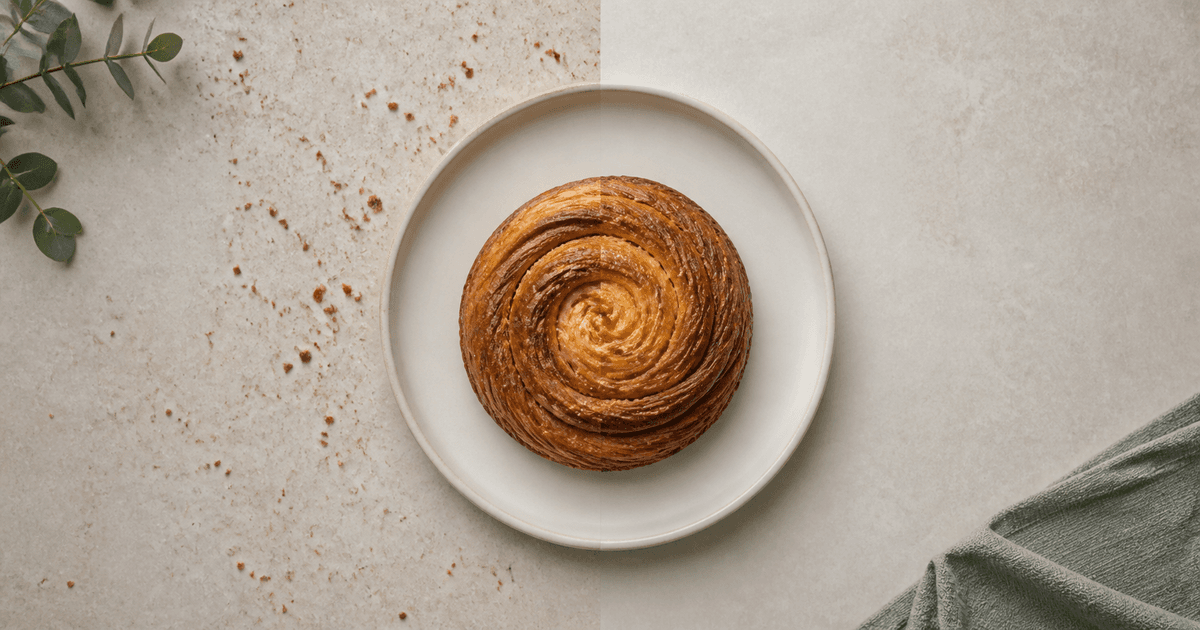
Upload a food image you own or may edit, identify only the disposable crumbs, drips, napkin fibers, or plate smudges, and ask Nano Banana 2 to remove that bounded distraction while reconstructing the original table or plate texture. Lock the dish, portion, garnish, steam, glaze, browning, container, crop, light, shadow, and color. Review the edit beside the source at full size; cleanup must not make the serving larger, fresher, hotter, or more carefully plated than it actually was.
Who this guide is for
Restaurant teams, food photographers, recipe publishers, delivery-menu operators, and ecommerce editors cleaning minor setup debris from permissioned final-select images without reshooting the dish.
Recommended model
| Use case | Recommended model | Why |
|---|---|---|
| This workflow | Nano Banana 2 image-to-image for one bounded cleanup zone | This task is a local correction rather than a new food scene. An image-to-image pass can preserve the approved photograph while replacing a small distraction with nearby plate or surface texture. |
AIBase is an independent creative platform. Model names are shown only to identify supported underlying technologies and workflow choices.
Prompt template
Edit only the uploaded authorized food photograph. Remove [exact crumbs, drip, fiber, fingerprint, or smudge] inside [precise zone]. Reconstruct that area from the adjacent [plate glaze / stone / linen / wood] texture with matching grain, color, perspective, highlight, and shadow. Preserve exact dish, portion, ingredients, garnish, browning, moisture, steam, vessel, utensils, props, crop, camera, depth of field, lighting, white balance, reflections, and natural imperfections. Do not add food, enlarge the serving, improve doneness, intensify freshness, invent garnish, change labels, alter tableware, smooth all texture, or edit outside the marked zone.
Step-by-step workflow
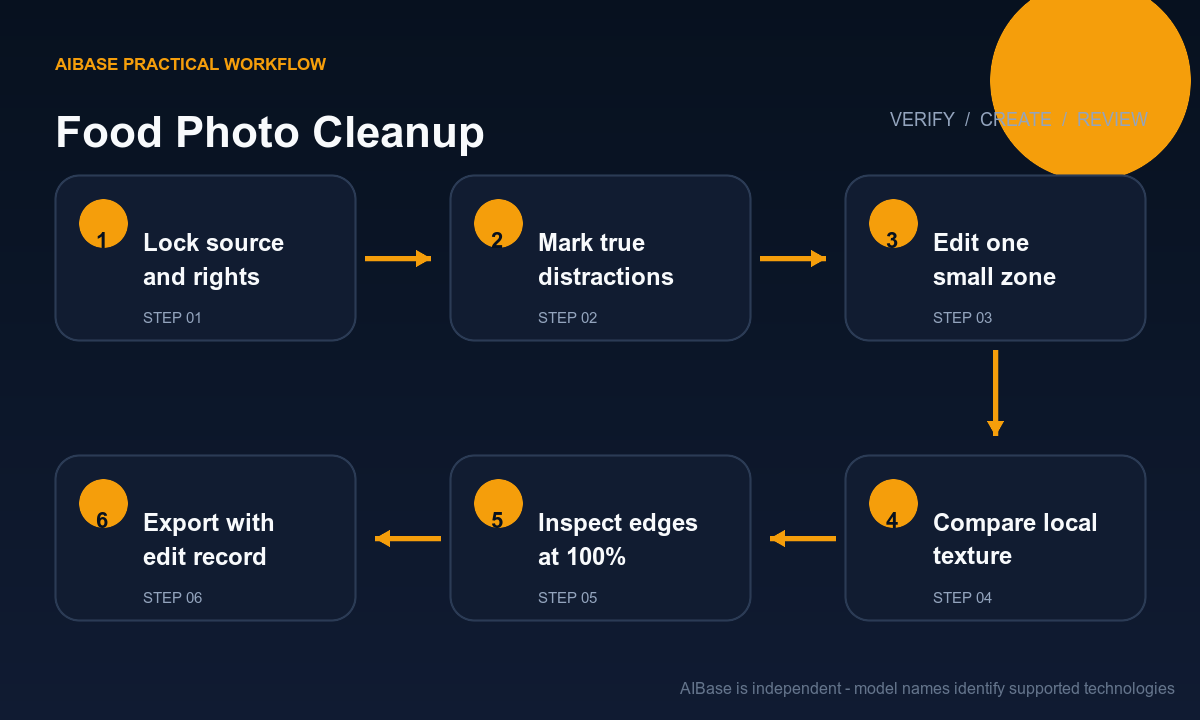
- Confirm image rights and choose the approved delivery crop before editing; keep the untouched source, recipe or menu record, and color reference outside the generation workflow.
- List removable setup debris separately from authentic food texture: a loose crumb on the table may go, while crust flakes, seasoning, char, seeds, sauce texture, and natural asymmetry may define the dish.
- Mark one compact zone and describe the surface that should continue through it, including plate curvature, grout line, linen weave, wood grain, highlight direction, and contact shadow.
- Run a narrow image-to-image edit with the food, portion, garnish, vessel, utensils, crop, focus plane, lighting, and color explicitly locked; use a second pass only for a separate zone.
- Compare source and output at 100 percent for repeated texture, smeared plate rims, clipped garnish, changed sauce edges, altered steam, floating utensils, shadow breaks, and invented food detail.
- Export the approved crop, retain the source and edit record, and label materially reconstructed images when marketplace, editorial, or client rules require disclosure.
Example prompt variants
- Remove only three loose croissant crumbs from the gray stone at lower right; continue the stone pores and soft window shadow, preserving pastry flakes, plate, butter layers, crop, color, and every other object.
- Clean only the small sauce drip outside the white plate at the two o’clock edge; rebuild the linen weave and its diagonal shadow, preserving the plated pasta, sauce amount, steam, fork, and warm white balance.
- Remove one napkin fiber crossing the dark tabletop beside the bowl; preserve bowl rim, broth level, herbs, condensation, reflection, depth of field, and all natural food texture without retouching the serving.
Quality checklist
- The approved dish, portion, ingredients, garnish, cooking cues, vessel, utensils, crop, focus, light, shadow, reflection, and color match the source.
- Only documented debris disappears, and the reconstructed plate or surface follows local texture, curvature, perspective, noise, highlight, and shadow.
- No repeated pattern, blur patch, halo, broken rim, clipped ingredient, new crumb, extra garnish, enlarged serving, or polished synthetic texture appears.
- The final image does not imply unsupported freshness, temperature, portion size, ingredients, preparation method, or menu availability.
- Source, rights, marked zone, prompt, output, review, disclosure decision, crop, and export remain traceable.
Mistakes to avoid
- Writing clean up the whole food photo and allowing the model to re-plate the dish, increase the portion, or remove authentic texture.
- Removing char, seasoning, crust flakes, seeds, bubbles, or sauce variation because they look irregular even though they describe the real food.
- Editing several distant zones at once, which makes it harder to catch changed utensils, shadows, plate edges, garnish, or color.
- Approving at thumbnail size and missing repeated stone texture, smeared linen weave, clipped food edges, or a cleanup patch that becomes obvious in the listing crop.
Related AIBase pages
- Open Nano Banana 2 image editing
- Remove objects from a photo
- Fix product photo color casts
- Compare text-to-image and image-to-image
Practical next step
Open the most relevant AIBase generator, run one narrow prompt first, and save the best result before adding more constraints. The fastest way to improve output quality is to compare one variable at a time: subject, camera, background, lighting, then final polish.