
Nano Banana 2 Prompts to Repair a Crushed Product Box Corner
Repair a small crushed carton corner with Nano Banana 2 while preserving approved dimensions, artwork, typography, folds, finish, lighting, and product-photo truth.
Quick answer
Mask only the dented corner, describe the undamaged carton geometry from adjacent edges, and lock every printed and photographed detail outside that mask. Use the smallest possible repair. If the damage crosses text, a barcode, a seal, or a structural feature that is not visible in another approved reference, reshoot or composite verified artwork instead of asking the model to invent it.
Who this guide is for
Ecommerce retouchers, catalog teams, resellers, packaging studios, and small brands correcting minor handling damage in an otherwise approved box, sleeve, or folding-carton packshot.
Recommended model
| Use case | Recommended model | Why |
|---|---|---|
| This workflow | Nano Banana 2 image-to-image | A bounded reference-led edit can reconstruct a small plain-material area quickly, provided the source remains the truth reference and printed or hidden details are never guessed. |
AIBase is an independent creative platform. Model names are shown only to identify supported underlying technologies and workflow choices.
Prompt template
Use the uploaded authorized packshot as the exact source. Edit only the masked crushed [top-left/top-right/bottom] carton corner. Reconstruct the corner as the continuation of the visible straight edges, panel plane, fold, board thickness, [matte/gloss/foil] finish, color, grain, highlight, and shadow. Preserve exact box dimensions, perspective, panel alignment, seams, flap positions, artwork, logo, spelling, line breaks, barcode, legal marks, color blocks, surface wear outside the damage, background, contact shadow, camera, crop, and resolution. Do not redesign the package, sharpen or rewrite text, invent a hidden panel, move a fold, round every edge, remove authentic wear elsewhere, change lighting, alter the product count, or edit outside the mask. Return one conservative repair for source comparison.
Step-by-step workflow
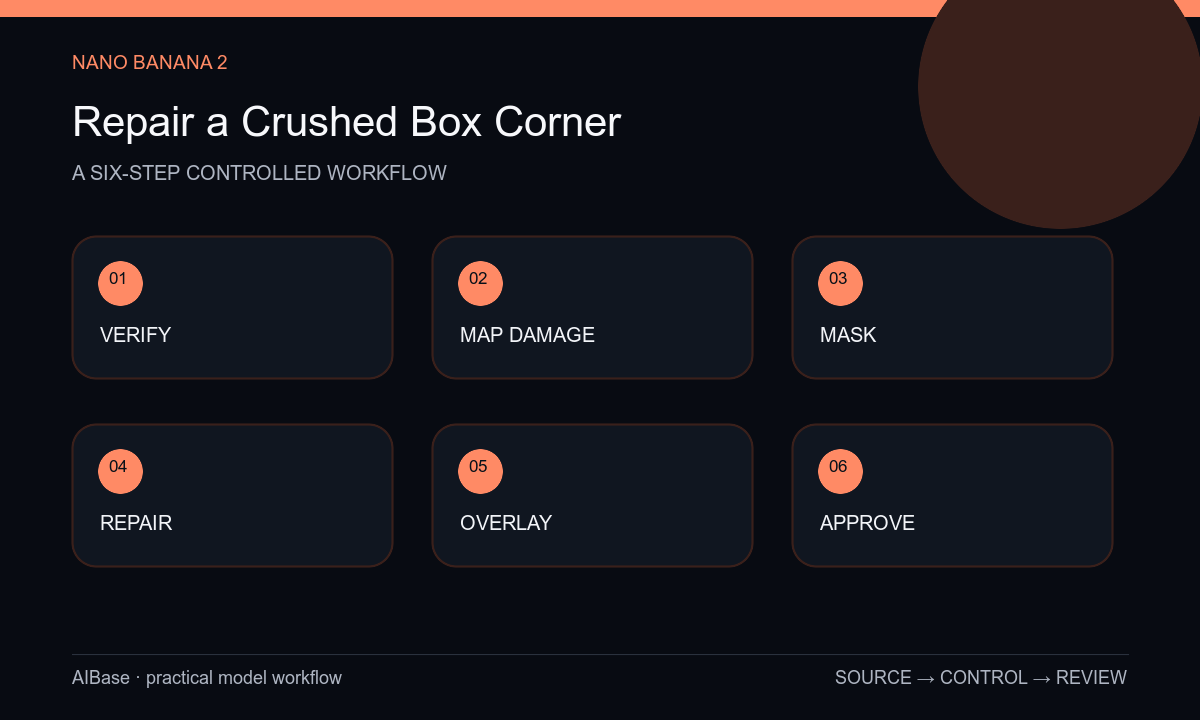
- Confirm the package version, image rights, and business reason for retouching; keep the untouched capture and current dieline or approved multi-angle packshots beside the working file.
- Map the damaged pixels, adjacent straight edges, fold direction, board thickness, finish, highlight, shadow, and any nearby print; stop if the missing information cannot be verified.
- Create a tight feathered mask around the crushed material only, excluding readable text, seals, barcodes, logos, and intact edge sections whenever possible.
- Prompt for a low-amplitude geometric continuation, generate one or two repairs, and avoid asking for general cleanup or premium packaging polish.
- Overlay source and result at full size to check dimensions, perspective, fold position, artwork registration, texture, highlight, shadow, mask halo, and every nearby character.
- Export from the approved master, retain the source-mask-result audit set, and label the image as retouched where marketplace, archival, or internal policy requires it.
Example prompt variants
- Repair only the shallow dent in the plain white top-right corner of this folding carton, continue the two straight edges and matte board texture, preserve exact print, fold, shadow, perspective, and all wear outside the mask.
- Reconstruct only the compressed lower corner of this dark foil sleeve using the visible panel plane and edge thickness, preserve foil grain, controlled highlight, logo spacing, contact shadow, crop, and every unmasked pixel.
- Correct only the buckled plain kraft corner on this shipping box, retain the authentic paper fibers, taped seam, printed mark, camera angle, floor shadow, and remaining scuffs; no global cleanup or invented hidden label.
Quality checklist
- The repaired geometry matches verified adjacent edges, board thickness, fold direction, panel plane, and perspective.
- Artwork, logo, letters, numerals, barcode, legal marks, color blocks, seams, and package dimensions remain exact.
- Material grain, gloss, foil, highlights, shadows, contact, and authentic wear transition naturally through the small mask.
- No invented hidden surface, extra flap, rounded edge, texture repetition, halo, blur, or unrelated cleanup appears.
- The original, references, mask, prompt, result, reviewer, disclosure decision, and export remain traceable.
Mistakes to avoid
- Prompting repair the damaged packaging without isolating the corner and allowing a full-box redesign.
- Reconstructing missing copy, barcode data, seals, or hidden panels from guesswork instead of approved artwork.
- Removing all dents and wear when only one handling defect was authorized for correction.
- Approving the repair at thumbnail size without overlaying the package outline and checking nearby text at 100 percent.
Related AIBase pages
- Open Nano Banana 2 image-to-image
- Straighten product labels safely
- Fix product-photo perspective
- Remove product backdrop wrinkles
Practical next step
Open the most relevant AIBase generator, run one narrow prompt first, and save the best result before adding more constraints. The fastest way to improve output quality is to compare one variable at a time: subject, camera, background, lighting, then final polish.