
Seedance 2.0 Fashion Lookbook Photo-to-Video Prompts
Animate fashion lookbook photos with Seedance 2.0 using garment-safe motion, identity and pose protection, restrained camera moves, fabric checks, and clean edit points.
Quick answer
Treat the lookbook still as identity, garment, styling, pose, and set truth. Animate one low-amplitude action—breathing, a small weight shift, restrained fabric response, or a short camera move—and keep the clip brief. The garment should not grow, tighten, open, change construction, or reveal surfaces the source does not support.
Who this guide is for
Fashion brands, stylists, ecommerce teams, photographers, creators, and agencies turning authorized campaign or lookbook stills into short social loops, collection teasers, and motion mood boards.
Recommended model
| Use case | Recommended model | Why |
|---|---|---|
| This workflow | Seedance 2.0 image-to-video | A reference-led video workflow can add bounded subject, fabric, and camera motion while keeping the approved still as the first-frame source of truth. |
AIBase is an independent creative platform. Model names are shown only to identify supported underlying technologies and workflow choices.
Prompt template
Animate the uploaded authorized fashion lookbook photo as the exact first frame. Preserve the model's identity, apparent age, face, skin texture, hair, expression, gaze, body proportions, pose, hands, fingers, footwear, accessories, garment silhouette, neckline, hem, sleeves, seams, closures, print, fabric texture, color, layering, fit, styling, background, lighting, crop, and camera height. Motion: [one subtle body or fabric action]. Camera: [locked/very slow push or slide]. Duration: [3-5 seconds]. End on a stable frame suitable for editing. Do not speak, lip-sync, walk, spin, change pose substantially, alter identity or body, redesign or expose the garment, invent hidden details, add wind stronger than the fabric can support, change light, add text, logo, person, or object.
Step-by-step workflow
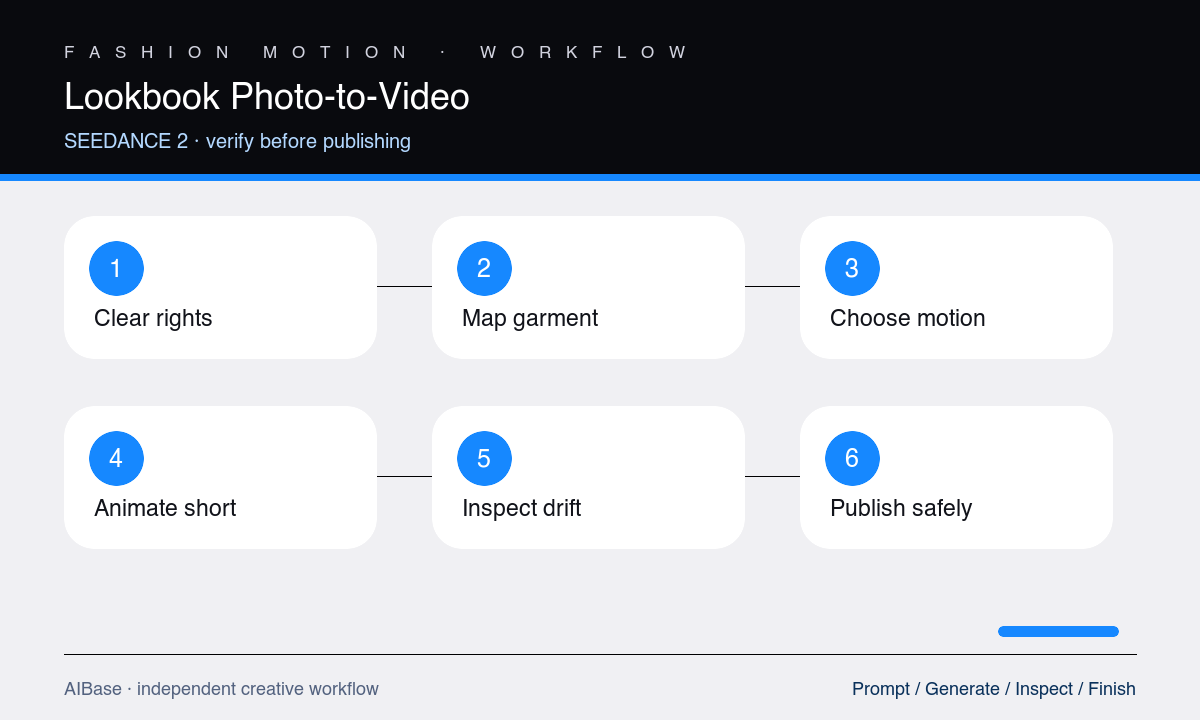
- Confirm model, photographer, garment, location, and campaign usage rights, and define the approved channels, duration, crops, and disclosure requirements.
- Map protected identity, pose, hands, garment construction, fabric behavior, accessories, footwear, background lines, and occlusion boundaries from the source.
- Choose one primary motion and either a locked camera or one tiny camera move; avoid combining a body turn, walk, wind event, and orbit.
- Generate a three-to-five-second test, then inspect first, middle, and final frames before evaluating the overall mood or music fit.
- Review face, hands, garment edges, seams, prints, fasteners, hem, fabric physics, accessories, background geometry, and temporal consistency at reduced speed.
- Trim around the cleanest motion, add approved copy and audio in the editor, and use source footage for any shot that requires walking, turning, speaking, or detailed garment proof.
Example prompt variants
- Four-second locked editorial portrait, one natural blink and subtle breathing only, preserve exact face, hand position, structured blazer shoulders, lapels, buttons, trousers, jewelry, backdrop, and hard side light.
- Three-second slow two-percent push on a full-length dress lookbook photo, tiny lower-hem response as if from indoor air, preserve pose, body, neckline, seams, print placement, shoes, floor line, and lighting.
- Four-second restrained lateral camera slide across an outerwear still with subject motionless, preserve identity, coat volume, belt knot, pocket placement, sleeve shape, fabric texture, boots, snow background, and final composition.
Quality checklist
- Identity, body proportions, expression, gaze, pose, hands, footwear, accessories, and apparent age remain stable and recognizable.
- Garment silhouette, construction, neckline, seams, closures, print placement, fabric texture, color, layering, fit, and length match the source.
- Body, fabric, hair, accessories, shadows, and camera move obey one coherent motion hierarchy without melting, stretching, or flicker.
- Background lines, floor contact, occlusions, lighting, crop, and final edit point remain stable throughout the clip.
- Rights, consent, disclosure, audio, captions, crop, and platform context are approved before publication.
Mistakes to avoid
- Turning a single posed still into a walk, spin, hair flip, garment reveal, and camera orbit without the visual evidence to support them.
- Using beautify, slimmer, younger, more confident, or perfect fit instructions that change identity, body, or product presentation.
- Missing drifting seams, prints, buttons, jewelry, fingers, hemlines, and background edges because only the opening frame was checked.
- Using synthetic motion as proof of drape, stretch, fit, transparency, or garment performance that was not captured in real footage.
Related AIBase pages
- Open Seedance 2.0 image-to-video
- Learn Seedance camera movement prompts
- Create fashion product videos
- Plan a Veo Pro cinematic fashion film
Practical next step
Open the most relevant AIBase generator, run one narrow prompt first, and save the best result before adding more constraints. The fastest way to improve output quality is to compare one variable at a time: subject, camera, background, lighting, then final polish.