
Seedance 2 Sneaker Lacing Video Prompts from Product Photos
Animate an authorized sneaker photo with one plausible lacing action while preserving shoe geometry, materials, colorway, hardware, and product truth.
Quick answer
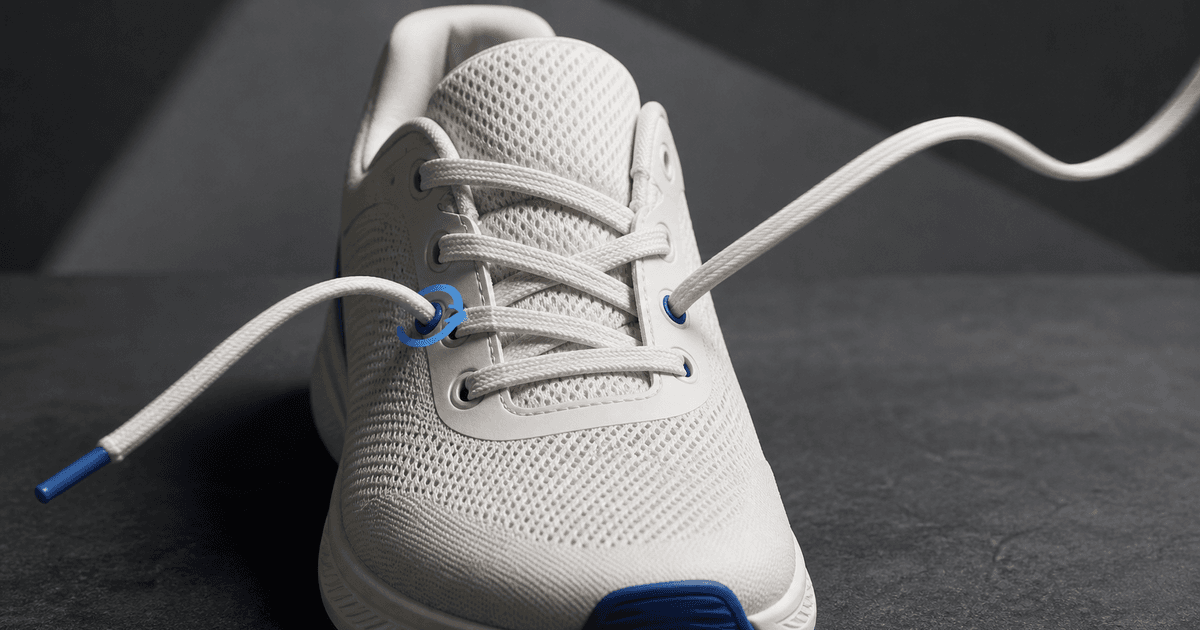
Use an authorized product photo with a clearly visible tongue, eyelets, lace path, and stable shoe silhouette. Ask Seedance 2 for one small action—one lace end sliding through one eyelet, a short tightening pull, or a restrained lace settle—while locking the shoe, colorway, material panels, stitching, sole, hardware, logo area, camera, surface, and lighting. Avoid hands unless the source includes an approved hand reference; plausible lacing is difficult enough without also generating fingers, a foot, walking motion, and a camera orbit.
Who this guide is for
Footwear retailers, sneaker brands, product photographers, marketplace sellers, and social teams creating short detail loops from approved shoe photography.
Recommended model
| Use case | Recommended model | Why |
|---|---|---|
| This workflow | Seedance 2 for a controlled sneaker image-to-video detail shot | Its image-to-video workflow can turn one product still into a short motion asset, provided the prompt limits the action and protects repeated eyelets, lace topology, and footwear geometry. |
AIBase is an independent creative platform. Model names are shown only to identify supported underlying technologies and workflow choices.
Prompt template
Use the uploaded authorized [sneaker model and colorway] photo as the exact first frame. Preserve exact shoe silhouette, scale, orientation, toe box, tongue, collar, panel shapes, mesh or leather texture, stitching, eyelet count and positions, lace color, thickness and existing path, sole geometry, tread, hardware, logo area, surface, crop, camera, light, shadow, and background. Motion: [one lace end passes through one visible eyelet / both existing ends tighten slightly / loose loop settles] over [3-5 seconds]. Camera locked. No new eyelet, lace, knot, bow, hand, foot, duplicate shoe, walking, deformation, color shift, text, or watermark.
Step-by-step workflow
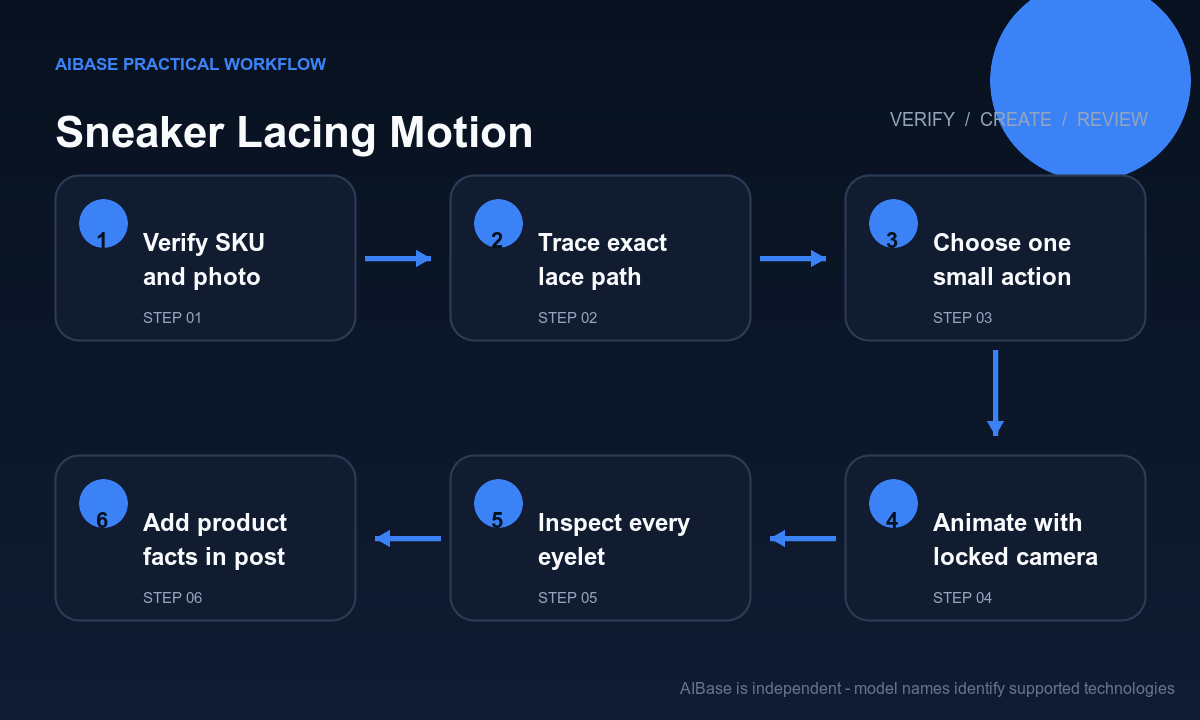
- Confirm product-photo rights and the exact SKU, colorway, size sample, included laces, lace style, eyelet count, alternate-lace status, crop, platform disclosure rule, and approved motion purpose.
- Trace the visible lace topology from each end through every eyelet, noting overlaps, occlusions, tension, loose length, aglets, tongue contact, and which single segment may move.
- Choose one mechanically plausible action and a locked camera; if a hand is necessary, use an approved source that already contains it and limit movement to one controlled pull.
- Generate a short clip with the shoe, panels, seams, eyelets, laces, sole, logo area, surface, lighting, and background repeated as preservation constraints.
- Review frame by frame for lace teleportation, branching, merging, clipping, changing eyelet count, tongue drift, material crawl, sole bending, new branding, shadow changes, and unstable start or end frames.
- Trim around the cleanest action, add exact product name, colorway, price, disclosure, caption, and CTA in post, then archive the source, prompt, review, and final export.
Example prompt variants
- Four-second macro: the existing right lace end slides once through the next visible eyelet and stops, preserve exact white mesh sneaker, cobalt aglet, six eyelet pairs, crossing order, tongue, stitching, sole, camera, and no hand or knot.
- Three-second side detail: both existing lace ends tighten by one centimeter, reducing only the top gap, preserve exact suede panels, flat cream laces, metal eyelets, logo area, outsole, surface shadow, and locked camera.
- Five-second loop: one loose lace loop settles gently against the existing tongue and returns near its starting pose, preserve every lace crossing, material panel, colorway, eyelet, sole and background, no new bow, foot, or wind effect.
Quality checklist
- SKU, colorway, shoe silhouette, materials, panels, seams, eyelets, laces, aglets, tongue, collar, sole, tread, hardware, logo area, and included accessories remain accurate.
- The moving lace follows one continuous path, passes through the correct eyelet, respects tension and occlusion, and never branches, merges, clips, stretches, or teleports.
- Camera, crop, surface, light, shadow, reflection, depth of field, product scale, first frame, and ending remain stable enough for a clean edit.
- No generated action implies unsupported fit, comfort, speed, performance, durability, waterproofing, athlete use, or included accessory.
- Source rights, product record, lace map, prompt, frames, rejection notes, disclosure, editable overlays, and export remain traceable.
Mistakes to avoid
- Requesting someone ties the shoe and forcing the model to solve hands, fingers, a foot, a knot, lace topology, product geometry, and camera motion at once.
- Failing to count eyelets and trace the original crossing order before animation, then accepting a lace that changes paths between frames.
- Combining tightening, bow formation, tongue adjustment, shoe rotation, walking, dust, and camera orbit in one short product clip.
- Publishing a visually smooth loop that silently changes the colorway, panel material, logo area, lace type, sole, included accessories, or product performance impression.
Related AIBase pages
- Open Seedance 2.0
- Animate fashion product photos
- Create footwear campaign photos
- Turn product photos into social ads
Practical next step
Open the most relevant AIBase generator, run one narrow prompt first, and save the best result before adding more constraints. The fastest way to improve output quality is to compare one variable at a time: subject, camera, background, lighting, then final polish.