
Veo 3.1 Fast LinkedIn Product Demo Hook Prompts Without Fake Dashboards
Create short B2B demo hooks that attract attention while keeping real UI, metrics, customers, and outcomes outside generated pixels.
Quick answer
Use Veo 3.1 Fast for a 4–6 second abstract hook—motion, materials, or a problem metaphor—that ends on an empty screen zone. Keep the actual product, UI, metrics, customer identity, integrations, and outcomes in authorized screen recordings and editable captions. Never generate a dashboard or result the product cannot demonstrate.
Who this guide is for
B2B product marketers, founders, sales teams, and agencies producing LinkedIn demo teasers, launch posts, webinar trailers, and sequence ads.
Recommended model
| Use case | Recommended model | Why |
|---|---|---|
| This workflow | Veo 3.1 Fast | It is suited to quick concept hooks, but factual proof and interface accuracy require real recordings. |
AIBase is an independent creative platform. Model names are shown only to identify supported underlying technologies and workflow choices.
Prompt template
Create a [4-6 second] text-free LinkedIn demo hook about [problem category]. Visual metaphor: [scattered documents / blocked path / slow manual handoffs / calm connected workflow]. Camera: [one controlled move]. End on a stable [left / center] screen-safe zone for a real UI insert. Keep a professional palette and subtle native ambient sound. No dashboard, interface, metrics, chart, customer, worker face, brand, integration, ROI, speed claim, testimonial, word, number, logo, or watermark.
Step-by-step workflow
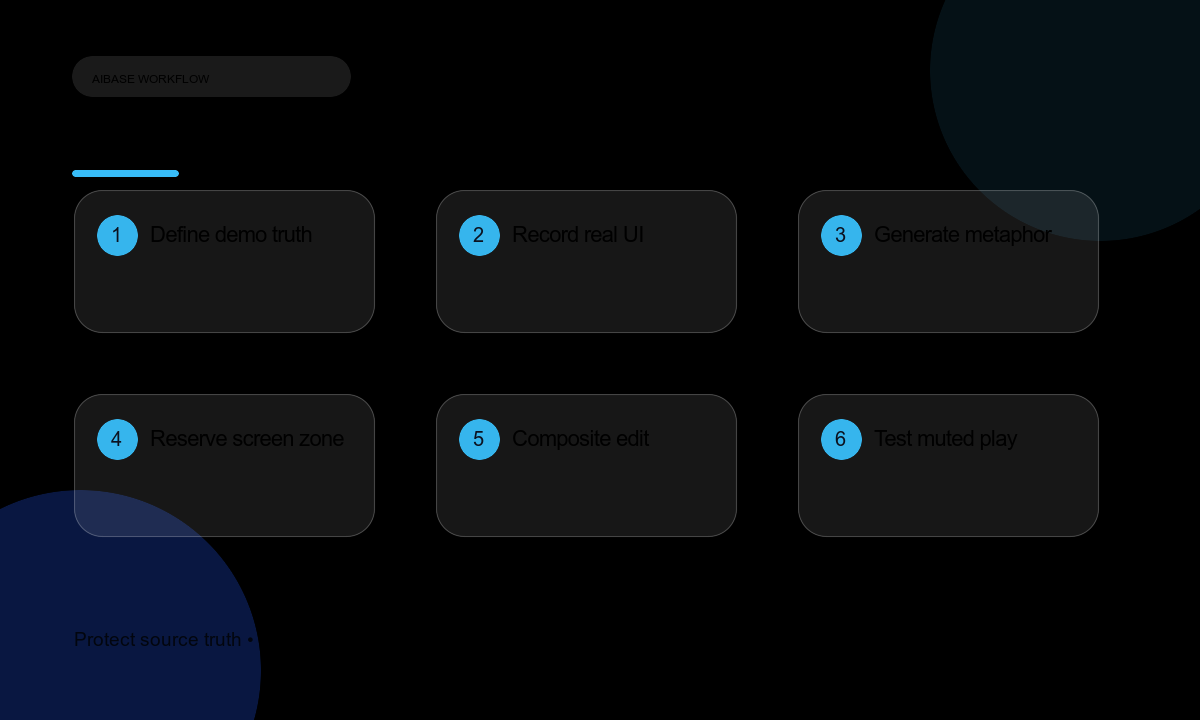
- Define the verified demo story: real user, task, setup, screen flow, constraints, outcome, and unsupported claims.
- Record or collect authorized UI footage with correct version, data permissions, privacy, and accessibility.
- Write one hook concept that expresses the problem without inventing a result.
- Generate the abstract hook and reserve a clean area for the real screen recording.
- Edit the real UI segment next, keeping transitions short and cursor motion legible.
- Add editable captions, feature names, customer permissions, disclosures, CTA, and audio descriptions.
- Test muted autoplay, LinkedIn crops, landing-page continuity, tracking, and lead-routing before publishing.
Example prompt variants
- Four-second metaphor: paper request cards pile up, then one calm path clears; end with empty center screen zone and no text.
- Five-second workflow texture: neutral modules align into a quiet open channel; no interface, data, metric, or logo.
- Six-second manual-to-flow metaphor: tangled cord loosens under cool office light; end on left screen-safe area with no outcome claim.
Quality checklist
- The generated hook contains no fake product UI, metric, chart, customer, integration, or performance claim.
- The real screen recording uses an authorized product version and compliant data.
- Hook and demo have consistent palette, pacing, audio, and professional tone.
- Captions, disclosures, CTA, and tracking remain accurate on LinkedIn and the destination page.
- Muted playback communicates the problem before the UI insert appears.
Mistakes to avoid
- Generating a polished dashboard that resembles but does not match the real product.
- Inventing productivity gains, customer logos, security badges, or integrations.
- Using a generic hook so long that viewers never reach the authorized demo.
- Publishing screen recordings with personal, client, or production data permission gaps.
Related AIBase pages
Practical next step
Open the most relevant AIBase generator, run one narrow prompt first, and save the best result before adding more constraints. The fastest way to improve output quality is to compare one variable at a time: subject, camera, background, lighting, then final polish.