
Veo 3.1 Fast Marketplace Listing Video Prompts for One-SKU Demos
Draft short marketplace listing video plates with one visible product action, stable framing, exact composited SKU details, and editable factual overlays.
Quick answer
Use Veo 3.1 Fast to prototype short background, context, and motion plates—not to regenerate a fact-sensitive SKU in every frame. Give each shot one job, keep the product area stable for compositing, and add exact packaging, dimensions, features, price, claims, captions, and marketplace disclosures in post. Validate the final export against the live listing and current channel rules.
Who this guide is for
Marketplace sellers, ecommerce operators, product marketers, agencies, and catalog teams drafting concise listing videos for one approved SKU and one buyer question at a time.
Recommended model
| Use case | Recommended model | Why |
|---|---|---|
| This workflow | Veo 3.1 Fast | Fast iteration helps teams compare hooks, contexts, camera moves, and shot order before exact product footage or packshots are composited into the approved listing asset. |
AIBase is an independent creative platform. Model names are shown only to identify supported underlying technologies and workflow choices.
Prompt template
Create one [3-6]-second marketplace listing video plate for [one shot job: context/problem-free setup/material atmosphere/scale cue/feature backdrop/final hold]. Buyer question: [one specific question]. Scene: [physically plausible setting]. Action: [one visible event]. Camera: [locked or one simple move]. Composition: keep a stable unobstructed [center/right/left] region for the exact approved SKU composite, maintain floor or surface contact, and finish with a one-second stable frame. Lighting: [direction and mood]. No generated product replica, packaging, label, logo, measurement, interface, accessory count, hand interaction, price, discount, review, rating, certification, comparison, performance result, warranty, shipping claim, readable text, transition, sound, or watermark.
Step-by-step workflow
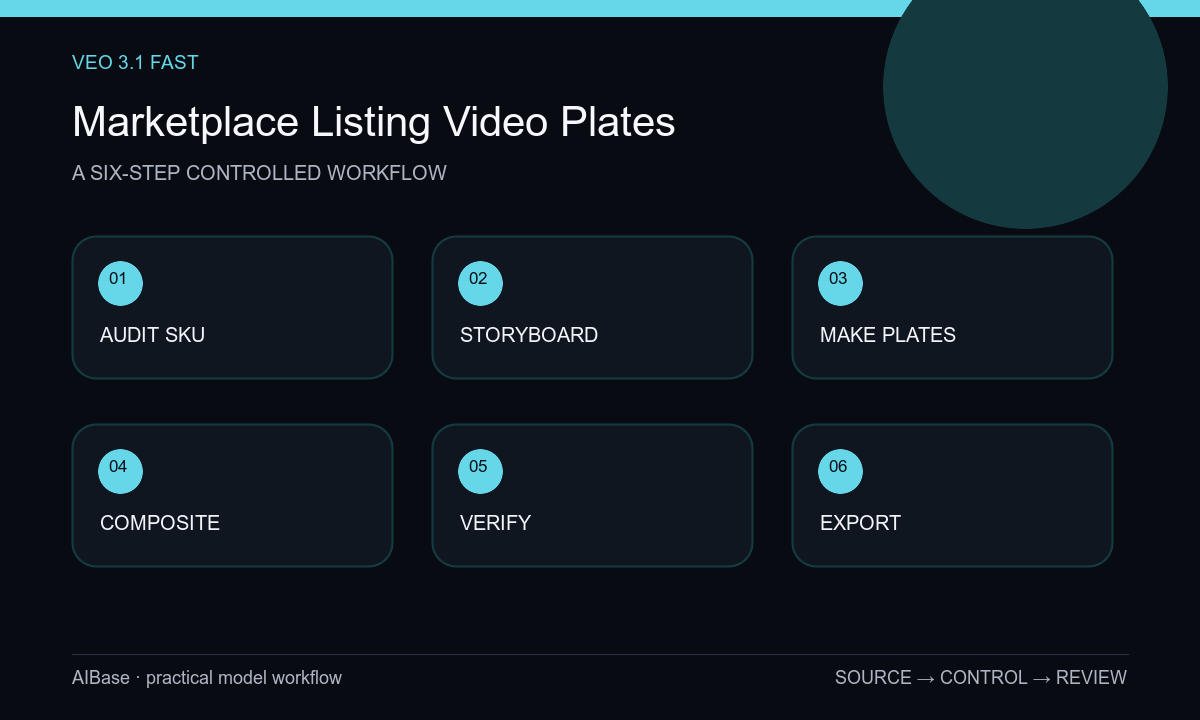
- Audit the current listing, SKU version, packshots, dimensions, included items, demonstrated features, claims, evidence, audience, destination, video specifications, and restricted content.
- Write a five-shot maximum storyboard in which every shot answers one buyer question and identifies whether it uses real footage, exact product compositing, or a generated supporting plate.
- Generate short plates with one action and a stable product zone, varying only the hook, camera move, setting, or light rather than the complete scene at once.
- Composite the approved product or insert real demo footage, matching perspective, light, reflections, contact shadows, scale, and occlusion to the plate.
- Add exact dimensions, feature labels, captions, price, offer, disclaimers, logo, and CTA as editable overlays sourced from the live listing.
- Review frame by frame, export to current channel specifications, upload privately for preview, verify playback and destination match, then archive or expire outdated versions.
Example prompt variants
- Four-second clean countertop plate for a compact kitchen product listing, one soft morning shadow moves across pale stone, camera locked, stable center-right product zone and lower caption space, no appliance, food, claim, or text.
- Five-second desk-accessory listing plate, subtle push toward an empty walnut placement zone while a neutral notebook remains still at left, consistent side light and final hold, no device, screen, hand, logo, or copy.
- Three-second material-detail backdrop for an outdoor product, one narrow highlight passes over a neutral textured surface behind an empty product zone, macro lens feel, no product replica, water test, durability claim, particles, or text.
Quality checklist
- The final product, package, colorway, dimensions, controls, included parts, labels, logos, and visible features match the live one-SKU listing.
- Every shot answers one buyer question and uses a stable, physically plausible camera, surface, light, scale, and endpoint.
- Prices, offers, ratings, reviews, claims, certifications, comparisons, warranties, shipping facts, and disclosures are approved editable overlays.
- Captions, crop safety, opening hook, final hold, file size, duration, resolution, sound policy, and accessibility meet current channel requirements.
- Listing source, prompts, plates, real footage, composites, approvals, export settings, upload preview, and expiration owner remain traceable.
Mistakes to avoid
- Generating the exact SKU, label, feature demo, price, rating, and CTA in one video prompt and trusting frame-to-frame accuracy.
- Packing unboxing, assembly, use, results, comparison, and offer into one short shot instead of answering one buyer question.
- Using a generic plate whose scale, reflection, shadow, or surface angle makes the composited product appear to float.
- Publishing without comparing every factual overlay and included item to the live listing and current marketplace requirements.
Related AIBase pages
- Open Veo 3.1 Fast
- Build fast product demo shots
- Plan ecommerce product ads
- Compare Veo Fast and Wan 2.7
Practical next step
Open the most relevant AIBase generator, run one narrow prompt first, and save the best result before adding more constraints. The fastest way to improve output quality is to compare one variable at a time: subject, camera, background, lighting, then final polish.