
Veo 3.1 Pro Museum Exhibition Trailer Prompts with Artwork-Safe Storytelling
Plan cinematic museum exhibition trailers with Veo 3.1 Pro while keeping artworks, galleries, artists, provenance, dates, access details, and curatorial claims exact.
Quick answer
Use authorized photography or footage for every artwork, object, artist, gallery, installation, label, conservation detail, and visitor-access feature. Use Veo 3.1 Pro for abstract atmosphere plates, material studies, or transitions that are clearly separate from collection evidence. Composite exact exhibition title, credits, dates, venue, ticketing, access details, and required rights lines in post, with curatorial and rights-holder review.
Who this guide is for
Museums, galleries, archives, cultural institutions, exhibition designers, curators, and agencies preparing cinematic teasers, lobby loops, press assets, or social cutdowns.
Recommended model
| Use case | Recommended model | Why |
|---|---|---|
| This workflow | Veo 3.1 Pro for a small number of illustrative cinematic plates within an evidence-led trailer | Cinematic generation can support atmosphere and pacing, but the cultural record, artworks, galleries, people, and interpretive claims must remain grounded in authorized sources. |
AIBase is an independent creative platform. Model names are shown only to identify supported underlying technologies and workflow choices.
Prompt template
Create one [4-8 second] clearly illustrative cinematic plate for a museum exhibition trailer. Story job: [threshold / material transition / thematic pause / end-card atmosphere]. Abstract subject: [light crossing blank archival paper / shadow moving over unmarked stone / particles settling in an empty dark field]. Camera: [one controlled move], light: [specific], palette: [specific], duration: [specific], stable edit handles. No artwork, artifact, artist style imitation, historical scene, gallery replica, building, visitor, conservator, collection object, label, signature, frame, cultural symbol, sacred object, human remains, provenance implication, title, date, logo, text, or watermark.
Step-by-step workflow
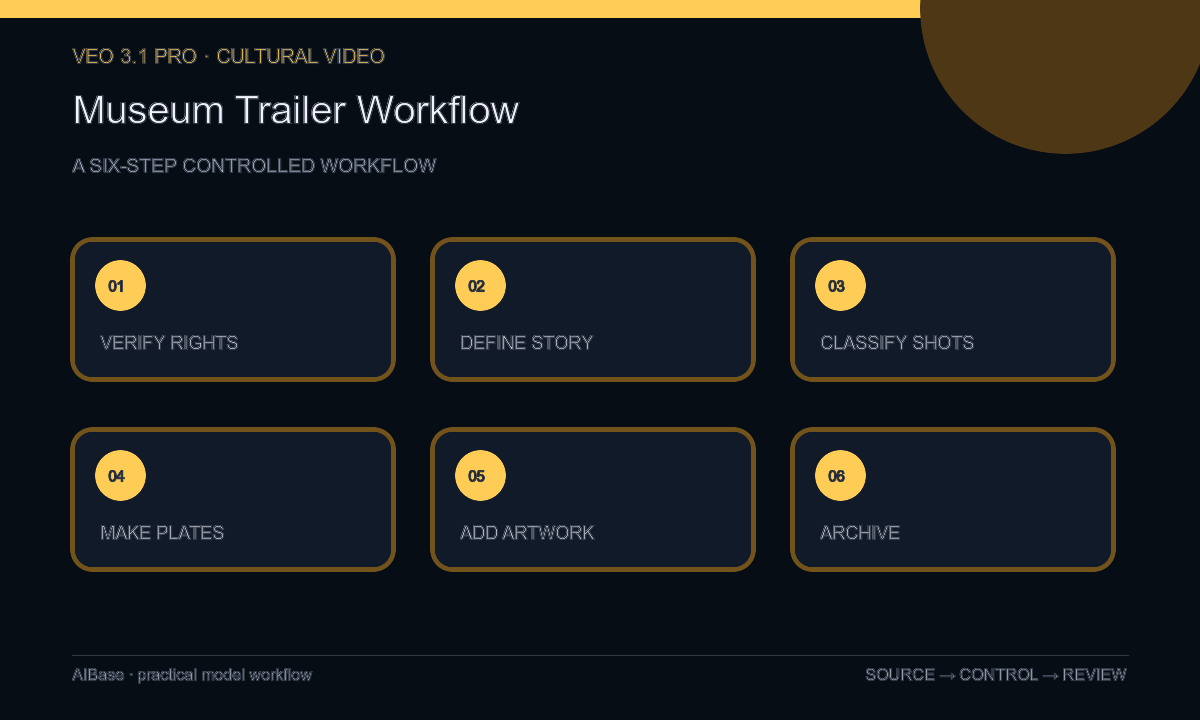
- Build a rights and truth ledger for every artwork, object, image, artist, lender, credit, provenance statement, gallery, filming restriction, date, venue, ticket, access detail, and approval owner.
- Define one curatorial promise for the trailer, then outline threshold, evidence, theme, human-scale detail, invitation, and end card without inventing narrative events.
- Classify each shot as authorized artwork, real gallery, archival source, interview, visitor access proof, or illustrative atmosphere, and define the required credit and disclosure.
- Generate only abstract plates that cannot be mistaken for an artwork, collection object, gallery, history, artist, culture, conservation process, or visitor experience.
- Composite authorized footage and exact credits separately; add exhibition title, lenders, dates, venue, ticket terms, access information, captions, audio description, disclosure, and licensed sound in post.
- Run curatorial, artist or lender, rights, cultural, conservation, accessibility, visitor-services, legal, and brand review; archive sources and retire the trailer when facts or rights expire.
Example prompt variants
- Six-second illustrative threshold plate, a narrow beam of warm light slowly widens across blank charcoal archival paper, macro texture, one dolly move, no artwork, frame, handwriting, object, gallery, symbol, logo, or text.
- Five-second material transition, soft shadow passes once over an unmarked pale stone surface in a dark neutral studio, controlled side light, no sculpture, artifact, tool, hand, conservation implication, culture, or lettering.
- Seven-second end-card atmosphere, sparse dust-like particles settle through a black field around a calm empty center, cinematic depth and stable ending, no historical claim, object silhouette, signature, date, title, or watermark.
Quality checklist
- Every artwork, object, artist, lender, credit, provenance statement, gallery, date, venue, ticket, and access detail maps to a current approved source.
- Generated plates cannot be mistaken for collection evidence, an artist’s work, a gallery, a historical event, a cultural object, or conservation documentation.
- Rights restrictions, cultural protocols, sacred or sensitive material rules, visitor consent, and filming conditions are respected in every edit.
- Titles, credits, lenders, dates, ticket terms, access information, captions, audio description, disclosure, and sound rights remain exact and legible.
- Sources, shot classification, prompts, outputs, rights, reviewers, exports, publication window, and retirement action remain traceable.
Mistakes to avoid
- Generating an artwork, artifact, installation, gallery, artist likeness, or historical reconstruction and presenting it as part of the exhibition.
- Prompting in the living or deceased artist’s recognizable style instead of using neutral abstract atmosphere with approved works shown separately.
- Omitting lender credits, provenance qualifiers, cultural protocols, rights restrictions, or accessibility details for a cleaner trailer.
- Treating dates, ticketing, access, gallery configuration, loans, and image rights as permanent after the exhibition changes.
Related AIBase pages
- Open Veo 3.1 Pro
- Plan cinematic brand video workflows
- Create event promo clips
- Compare cinematic product ad models
Practical next step
Open the most relevant AIBase generator, run one narrow prompt first, and save the best result before adding more constraints. The fastest way to improve output quality is to compare one variable at a time: subject, camera, background, lighting, then final polish.