
Wan 2.7 Ice Cube Product Video Prompts for Cold Drink Ads
Animate controlled ice-cube motion with Wan 2.7 for beverage ads while preserving exact packaging, liquid color, fill level, glass geometry, condensation, and claims.
Quick answer
Choose one ice behavior per clip: a single cube settles, two cubes rotate slightly, or a highlight travels through stationary ice. Lock the exact bottle, can, glass, label, liquid, garnish, and fill level. Do not combine falling ice, splash, pour, fizz, condensation growth, camera orbit, and product reveal in one generation; each extra event increases geometry, continuity, and truth risk.
Who this guide is for
Beverage brands, restaurants, bars, ecommerce teams, agencies, and social editors turning approved cold-drink stills into short product loops, menu accents, launch teasers, or atmospheric ad plates.
Recommended model
| Use case | Recommended model | Why |
|---|---|---|
| This workflow | Wan 2.7 image-to-video | A short source-led workflow is useful for modest ice and light motion when the approved product image anchors packaging and the prompt strictly limits fluid and solid behavior. |
AIBase is an independent creative platform. Model names are shown only to identify supported underlying technologies and workflow choices.
Prompt template
Animate the uploaded authorized cold-drink product image as the exact first frame. Preserve exact [bottle / can / glass] geometry, rim, label, logo, spelling, color, closure, liquid color, opacity, bubbles already visible, fill level, ice count and approximate shape, garnish, condensation already present, surface, contact shadow, reflection, background, lighting, camera, crop, and resolution. Motion: [one cube makes one small physically plausible settle / one slow light refraction passes through stationary ice] over [3-5 seconds]. Keep liquid nearly still, camera [locked / one subtle push], stable final second. No new cube, disappearing cube, impossible melt, explosive splash, added pour, changing fill, multiplying bubble, label drift, glass deformation, floating garnish, product transformation, temperature claim, ingredient, text, or watermark.
Step-by-step workflow
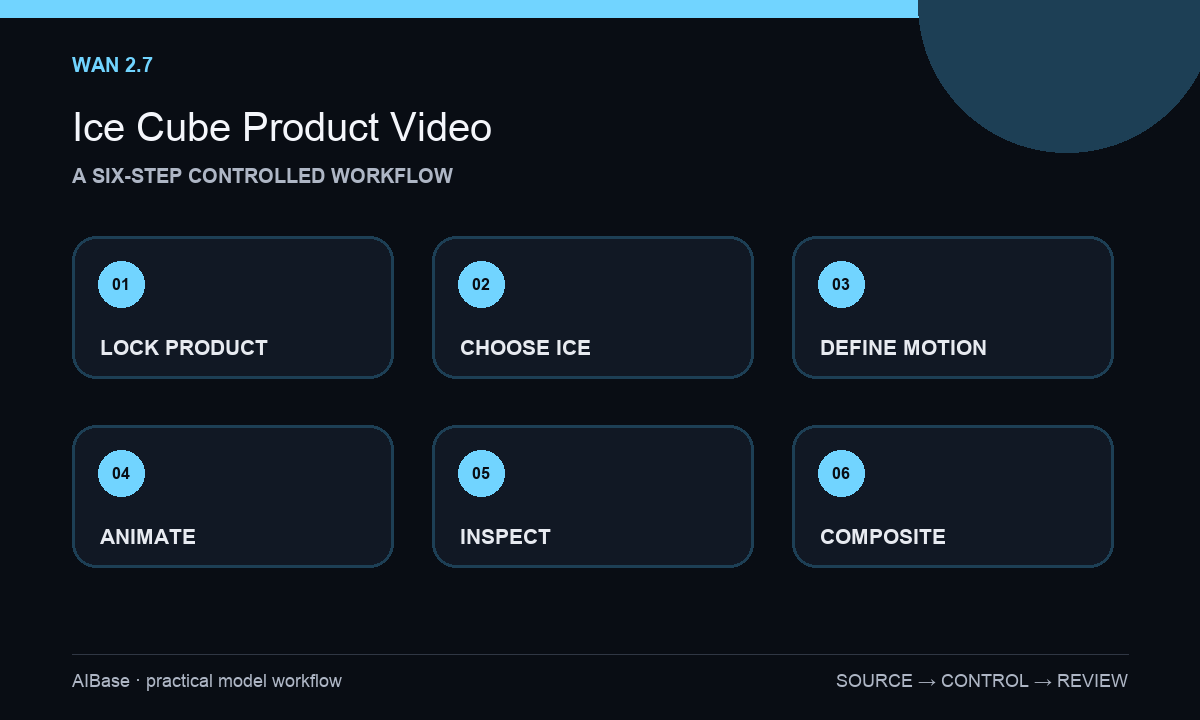
- Verify the exact beverage, package or glass, liquid appearance, ice treatment, garnish, serving policy, image rights, claims, and whether generated motion is acceptable for the placement.
- Inventory product geometry, label characters, rim and closure, fill level, ice count, refraction, bubbles, condensation, garnish, shadow, reflection, and source-camera position.
- Select one low-amplitude event and define what stays still; use a locked camera for ice settling and reserve camera movement for a separate plate.
- Generate three-to-five-second variants with conservative motion, then stop versions that change product, liquid volume, ice count, label, garnish, or contact.
- Inspect frame by frame for cube continuity, collisions, buoyancy, refraction, melt, liquid boundary, rim, label, glass, bubbles, condensation, garnish, shadow, reflection, and loop seam.
- Composite exact logo, offer, flavor, ingredients, temperature language, legal copy, and CTA in post; disclose illustrative motion when viewers could interpret it as product evidence.
Example prompt variants
- Four-second locked macro of the approved clear tumbler: the front ice cube settles downward by a few millimeters and stops, preserve exact glass rim, liquid level, ice count, lemon peel, condensation, refraction, tabletop reflection, and all product pixels.
- Three-second cold-can hero: can remains perfectly still while one soft highlight travels across the two existing ice cubes behind it, preserve exact can, label, color, droplets, cubes, shadow, background, and no splash or new condensation.
- Five-second overhead drink plate: two existing cubes rotate minimally from liquid inertia and return to rest, preserve glass circle, fill, liquid color, herb garnish, cube count, bubble pattern, surface shadow, camera, and crop.
Quality checklist
- Package, glass, label, logo, characters, closure, color, liquid, fill level, garnish, ice count, and approved variant remain exact.
- Ice motion follows plausible contact, buoyancy, collision, refraction, transparency, and melt behavior without teleporting or shape cycling.
- Liquid boundary, bubbles, condensation, highlights, shadows, reflections, surface contact, camera, and background remain coherent.
- The clip makes no unsupported coldness, freshness, ingredient, alcohol, health, performance, serving, or sensory claim.
- Source, prompt, variants, frame review, exact overlays, claims approval, disclosure, export, and destination remain traceable.
Mistakes to avoid
- Combining ice drop, splash, pour, fizz, condensation, camera orbit, and product reveal in one overloaded prompt.
- Ignoring ice count and allowing cubes to merge, multiply, disappear, pass through glass, or melt inconsistently.
- Letting the label, liquid color, fill level, garnish, package shape, or condensation change while watching only the main motion.
- Using generated frost or ice behavior to imply an exact temperature, freshness, ingredient, serving method, or product performance claim.
Related AIBase pages
- Open Wan 2.7
- Create beverage condensation videos
- Create water splash product videos
- Create beverage pour videos
Practical next step
Open the most relevant AIBase generator, run one narrow prompt first, and save the best result before adding more constraints. The fastest way to improve output quality is to compare one variable at a time: subject, camera, background, lighting, then final polish.