
Wan 2.7 Zipper Opening Product Video Prompts from Packshots
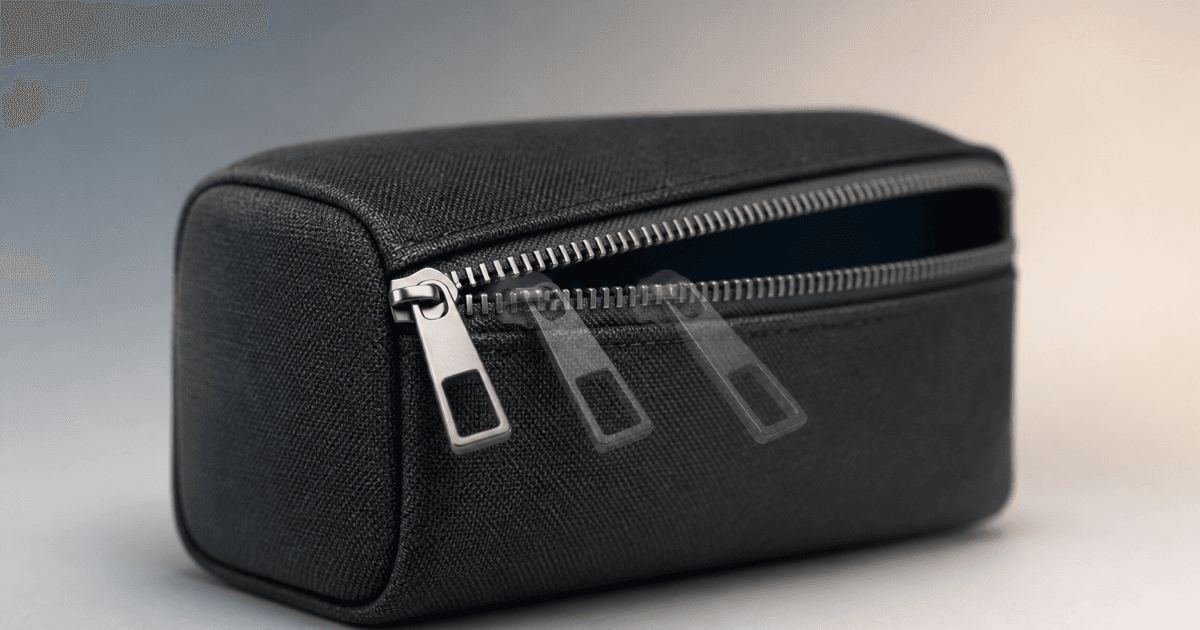
Animate one short, mechanically plausible zipper movement while preserving teeth, slider, pull, seams, fabric tension, product shape, contents, and claims.
Quick answer
Start from an authorized sharp image where the zipper track, slider, pull, seam, fabric tension, and intended opening direction are visible. Animate the existing slider only a short distance along the real track while the product and camera stay locked. Do not invent a hand or hidden interior; if the opening exposes unphotographed contents, stop before the gap reveals them or composite an approved interior plate. Review every frame for tooth continuity, slider orientation, seam tension, product volume, and unsupported ease-of-use or durability implications.
Who this guide is for
Bag, luggage, apparel, accessory, stationery, and packaging brands turning approved zipper-detail packshots into short PDP or social motion assets.
Recommended model
| Use case | Recommended model | Why |
|---|---|---|
| This workflow | Wan 2.7 image-to-video for one bounded zipper mechanism action | A source-led clip can add tactile movement when the motion path is short and the product geometry, hardware, fabric, and hidden interior remain tightly constrained. |
AIBase is an independent creative platform. Model names are shown only to identify supported underlying technologies and workflow choices.
Prompt template
Animate the uploaded authorized [product SKU and colorway] photo as the exact first frame. Motion only: the existing [slider and pull] travels [distance] along the visible zipper track toward [direction] over [3-5 seconds], opening only the verified section, then stops. Preserve exact product silhouette, dimensions, volume, fabric, panels, seams, piping, zipper track and tooth count impression, tape, stops, slider, pull, hardware finish, logo zone, interior visibility, contents, surface contact, reflections, shadow, background, crop, camera, and light. No hand, duplicate slider, missing teeth, broken seam, expanded opening, invented interior, contents, easy-use claim, waterproof claim, durability claim, word, logo, sound, or watermark.
Step-by-step workflow
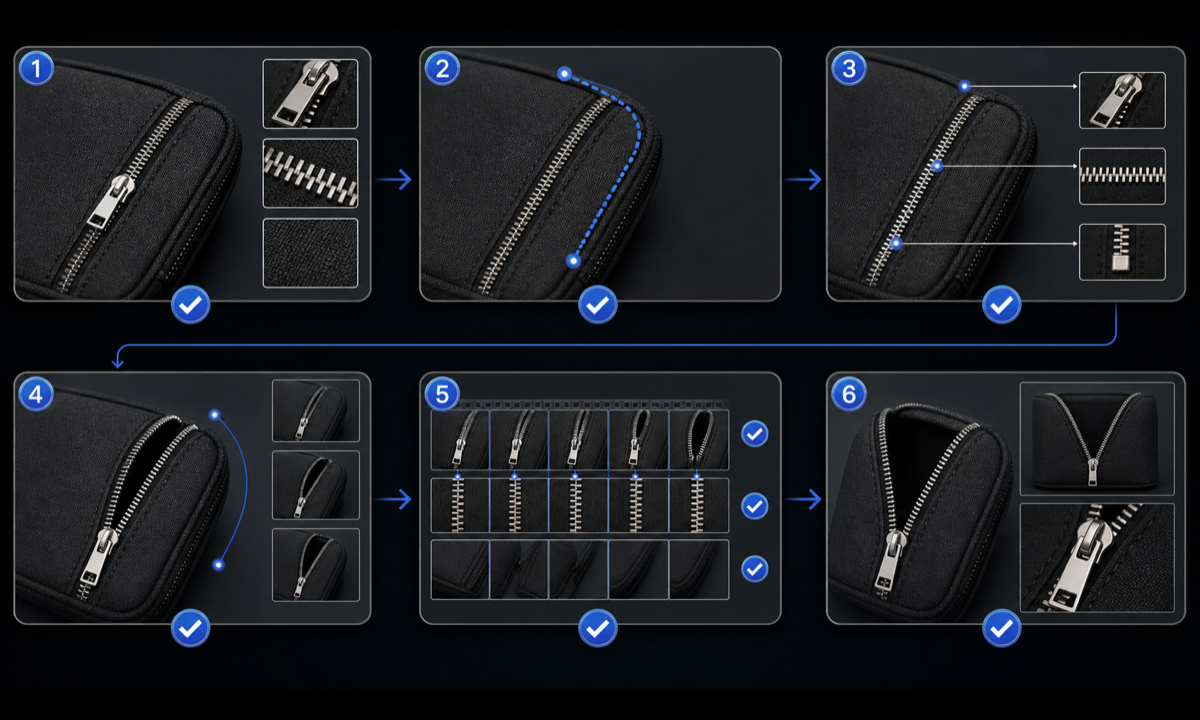
- Confirm SKU, revision, zipper type, path, direction, stops, hardware, opening state, interior references, included contents, rights, and approved claims.
- Choose a sharp source where the entire intended movement path, teeth, slider, pull, seam, fabric tension, and occlusion boundary can be mapped.
- Define a short travel distance and stable endpoint that does not reveal any unphotographed interior, pocket, lining, or contents.
- Generate a locked-camera motion first with the product fully supported; add no hand, product rotation, opening expansion, or camera orbit.
- Inspect every frame for tooth continuity, slider orientation, pull attachment, seam tension, fabric stretch, product volume, interior exposure, reflections, and shadow stability.
- Composite an approved interior or exact product plate if needed, add verified features and claims separately, and archive the motion map, review, and export.
Example prompt variants
- Four-second macro of the existing silver slider moving three centimeters along the top track of the charcoal travel pouch, preserve teeth, pull, seams, pouch volume and shadow; reveal no interior.
- Three-second jacket detail: the visible slider rises two centimeters on the center track while the garment remains flat, preserve tooth alignment, tape, placket, fabric folds and color; no body or hand.
- Five-second luggage pocket detail: the existing pull moves slowly to the first corner and stops before hidden lining appears, preserve panel, piping, lock, hardware finish, shell ribs, camera and light.
Quality checklist
- SKU, silhouette, panels, seams, fabric, zipper type, track, teeth, slider, pull, stops, hardware, opening state, and scale match the source.
- The slider follows the real path with plausible direction, speed, contact, fabric tension, occlusion, and a stable endpoint.
- No teeth multiply or vanish, slider flips, pull detaches, seam tears, product inflates, interior appears, contents change, or shadow jumps.
- The clip does not prove smoothness, one-hand use, durability, waterproofing, security, capacity, or included contents without evidence.
- Source, hardware reference, motion map, prompt, frames, product review, composite, approval, and export remain traceable.
Mistakes to avoid
- Asking the zipper to open fully when the source does not show the lining, pocket depth, contents, or end stop.
- Adding a hand, product rotation, camera orbit, packing reveal, and zipper motion in one unstable generation.
- Accepting duplicated pulls, missing teeth, flipped sliders, stretching seams, breathing product volume, or invented contents.
- Treating a smooth generated movement as proof of quality, durability, waterproofing, security, capacity, or accessibility.
Related AIBase pages
Practical next step
Open the most relevant AIBase generator, run one narrow prompt first, and save the best result before adding more constraints. The fastest way to improve output quality is to compare one variable at a time: subject, camera, background, lighting, then final polish.