
Veo 3.1 Fast Farmers Market Vendor Reel Prompts
Plan short farmers market reels with authentic produce, one clear action, editable prices and schedules, location privacy, and responsible local-business claims.
Quick answer
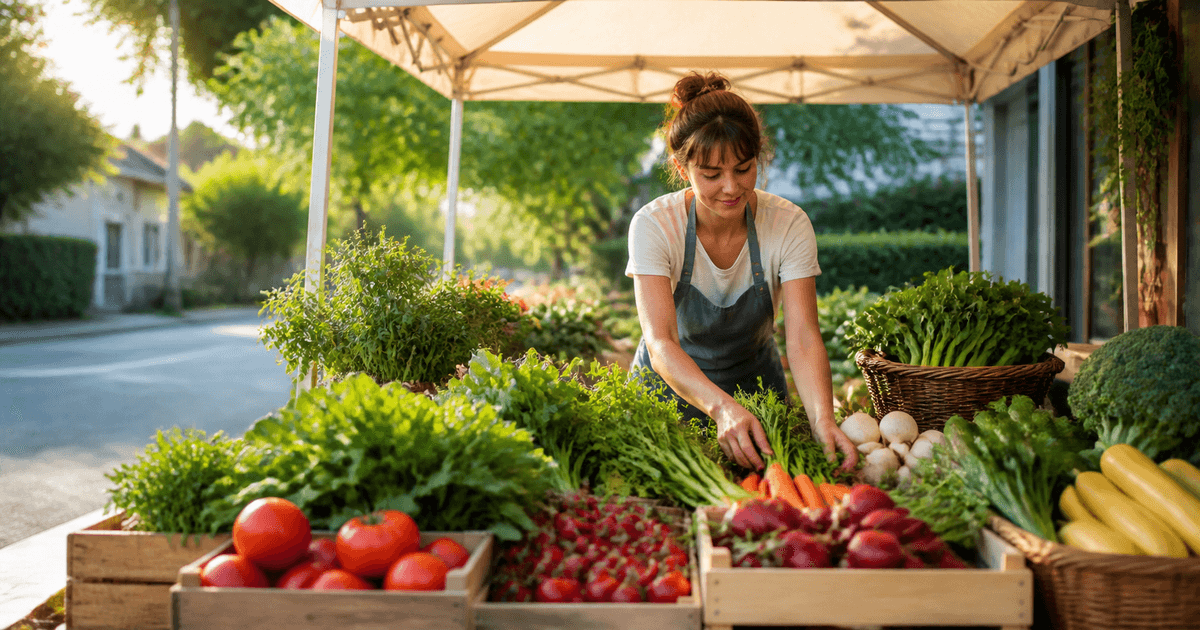
Build the reel around one truthful market moment: arranging today’s verified produce, opening an authorized crate, weighing one item, or a slow stall reveal. Use Veo 3.1 Fast for a four- to eight-second hook, but add vendor name, farm or sourcing details, market location, date, opening hours, prices, organic or local claims, payment methods, and sold-out notices as editable overlays from the current record. Obtain permission for identifiable people and neighboring stalls, and avoid generated crowds, abundance, harvest, or farm scenes that could misrepresent availability or origin.
Who this guide is for
Farmers market vendors, farm shops, community market organizers, food co-ops, and local social teams producing timely vertical clips from verified weekly inventory.
Recommended model
| Use case | Recommended model | Why |
|---|---|---|
| This workflow | Veo 3.1 Fast for one short farmers market social hook | Fast short-form iteration suits perishable weekly content, as long as the clip stays generic where facts can change and editable overlays carry current inventory, schedule, origin, and price information. |
AIBase is an independent creative platform. Model names are shown only to identify supported underlying technologies and workflow choices.
Prompt template
Create a [4 / 6 / 8]-second [9:16 / 16:9] farmers market reel for an authorized vendor. Scene: [verified stall and produce category]. One action: [arrange one crate / place one bunch / weigh one item / slow stall reveal]. Camera: [locked close-up / slow push / short lateral move]. Preserve realistic produce scale, variety, freshness variation, crate, canopy, table, hands if authorized, neighboring-stall privacy, and natural daylight. Reserve safe zones for editable vendor, market, date, hours, location, price, availability, origin, disclosure, and CTA. No generated sign, word, number, logo, crowd, farm, harvest, certification, sold-out claim, sound, or watermark.
Step-by-step workflow
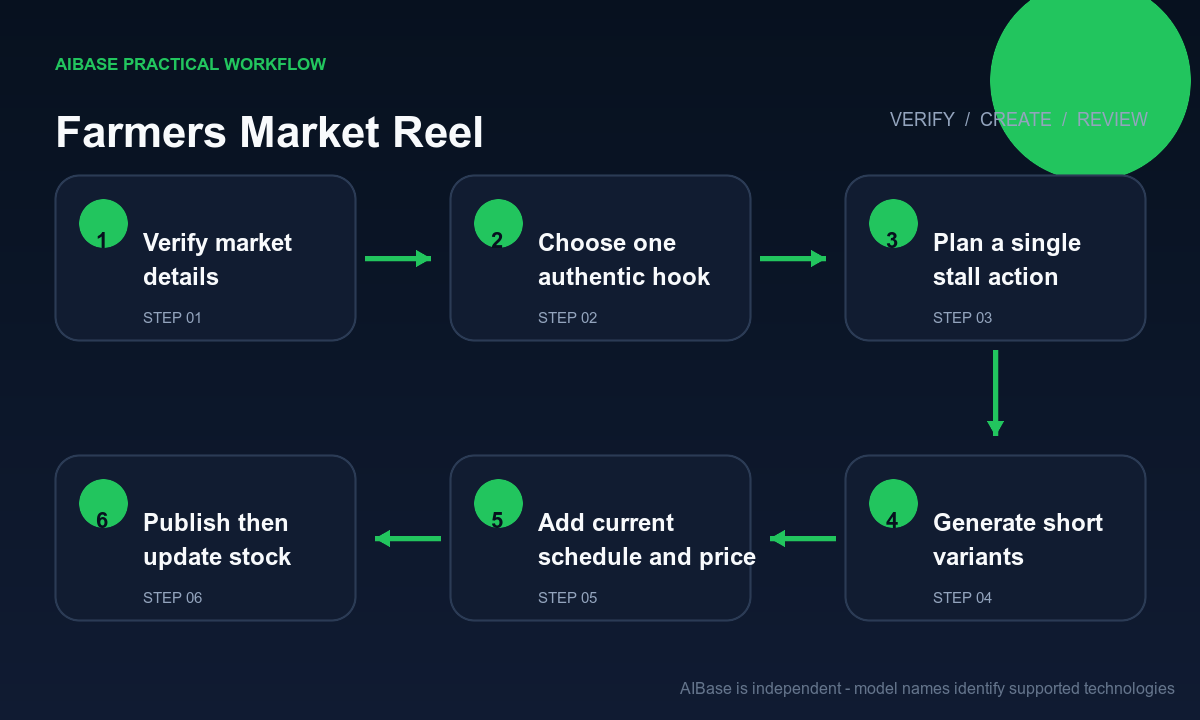
- Confirm the vendor, filming or generation permission, produce variety, source, organic or local claim basis, current inventory, price, market date, hours, location, weather plan, payment methods, neighboring-stall privacy, and update owner.
- Pick one audience question and one action for the clip, such as what is fresh today or where to find the stall; keep recipe ideas, farm story, pricing, and schedule in separate assets.
- Design the vertical frame with safe zones for vendor name, product, date, hours, location, price, availability, disclosure, captions, and CTA before generating motion.
- Generate two or three short hooks that use the same verified stall vocabulary but different camera choices; reject any version that invents people, produce, signage, packaging, abundance, or weather.
- Composite real stall footage or product photos when available, then add exact names, sourcing, prices, schedule, map link, disclosure, licensed audio, and captions in editable layers.
- Review on a phone, verify the destination and current inventory immediately before publishing, monitor questions, and remove or update the reel when the market day, price, location, or stock changes.
Example prompt variants
- Four-second vertical close-up of an authorized vendor arranging one bunch of verified rainbow carrots in an existing wooden crate, soft morning light, locked camera, preserve natural dirt and size variation, no sign, price, logo, crowd, extra produce, or sound.
- Six-second slow push toward a tidy authorized herb stall with one hand placing a basil bunch, preserve exact canopy, baskets, neighboring-stall blur and daylight, leave upper and lower overlay zones, no readable label, certification, person, farm, or inventory claim.
- Eight-second horizontal stall reveal from verified tomatoes to leafy greens, one smooth lateral move, realistic quantity and freshness variation, no customer, generated vendor face, market banner, price card, tractor, harvest scene, word, or watermark.
Quality checklist
- Vendor, product, variety, source, claims, inventory, price, date, hours, location, payment, permissions, disclosure, and destination match the current market record.
- Produce remains physically plausible with natural size and freshness variation, stable crates, believable hand contact, coherent light, and no duplication, melting, or sudden abundance.
- No generated person, neighboring brand, market sign, price, farm, harvest, certification, packaging, sponsor, crowd, testimonial, word, number, logo, or sound appears as fact.
- Vertical crop, overlay safe zones, captions, contrast, motion, first frame, loop, audio license, location privacy, and phone playback pass review.
- Permissions, inventory source, prompt, outputs, overlays, approvals, publication time, questions, updates, and removal remain traceable.
Mistakes to avoid
- Prompting a bustling farmers market and letting the model invent customers, vendors, stalls, signs, farms, produce varieties, and apparent demand.
- Burning prices, dates, opening hours, location, organic claims, origin, availability, or payment methods into a clip that may stay scheduled after facts change.
- Using perfect oversized produce, overflowing crates, spotless surfaces, or harvest imagery that overstates quality, inventory, seasonality, or farm ownership.
- Publishing identifiable generated or real people, children, neighboring stalls, vehicle plates, house numbers, or precise farm locations without appropriate permission and privacy review.
Related AIBase pages
- Open Veo 3.1 Fast
- Create local business reels
- Create restaurant daily-special reels
- Compare short social video models
Practical next step
Open the most relevant AIBase generator, run one narrow prompt first, and save the best result before adding more constraints. The fastest way to improve output quality is to compare one variable at a time: subject, camera, background, lighting, then final polish.