
Veo 3.1 Fast Restaurant Daily Special Reel Prompts
Create quick restaurant daily-special Reel plates with verified food, offer, service hours, and location details added as controlled overlays.
Quick answer
Build the Reel around one verified dish and one availability window. Generate a short food or atmosphere plate with a stable end frame, then overlay the exact dish name, price, dates, hours, location, allergens, and CTA in editing. Real footage is the safer choice when the final plate must match what guests will receive that day.
Who this guide is for
Independent restaurants, cafes, bakeries, food trucks, hospitality groups, and local agencies producing same-day or weekly vertical creative for a verified special.
Recommended model
| Use case | Recommended model | Why |
|---|---|---|
| This workflow | Veo 3.1 Fast | Fast iteration suits short-lived local social concepts, while operational facts and exact dish representation stay in controlled footage, photography, and editable overlays. |
AIBase is an independent creative platform. Model names are shown only to identify supported underlying technologies and workflow choices.
Prompt template
Create one [4-6]-second vertical restaurant Reel plate for a verified [dish category] daily special. Shot purpose: [hook/detail/atmosphere/end card background]. Subject: [truthful visible food description or generic atmosphere]. Action: [one motion]. Camera: [one move]. Lighting: [existing restaurant mood]. Composition: keep a clean upper or lower overlay zone and a stable final second. If using an authorized dish reference, preserve exact serving vessel, portion count, ingredients visible, garnish, doneness appearance, color, texture, table, and background. No generated menu text, dish name, price, discount, date, hours, location, logo, rating, review, allergen or dietary claim, unavailable ingredient, excessive steam, impossible pour, unsafe kitchen action, person, watermark, cut, or transition.
Step-by-step workflow
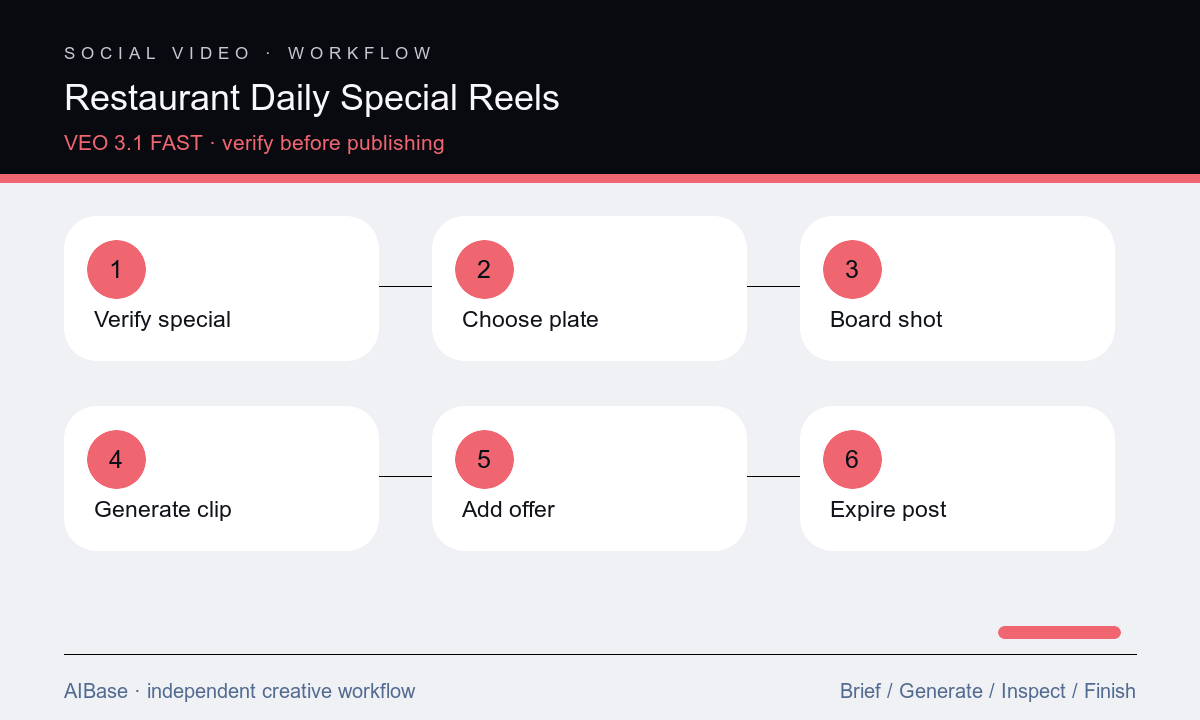
- Get a same-day fact sheet from operations covering dish, portion, ingredients, substitutions, price, tax treatment, quantity, dates, service hours, locations, allergens, dietary wording, and sell-out plan.
- Choose one Reel function and source path: real dish footage for exact representation, authorized photo-to-video for restrained motion, or a generic atmosphere plate for copy-led promotion.
- Storyboard a hook, product detail, and stable overlay frame, but generate each plate separately with one food action and one camera move.
- Run a small fast batch, rejecting any altered ingredient, portion, garnish, vessel, doneness cue, unsafe action, excessive steam, or misleading abundance.
- Assemble the best plate with approved logo, dish name, price, dates, hours, location, allergen language, CTA, captions, and licensed audio as editable layers.
- Have operations approve immediately before posting, monitor stock and comments, pause when sold out or service changes, and archive the asset after its end time.
Example prompt variants
- Five-second vertical close detail of the exact approved pasta special, one gentle fork lift from the existing portion, locked bowl, sauce color, garnish, texture, table, and background; slow push-in, clean top zone, no extra cheese, steam, text, or price.
- Four-second generic cafe atmosphere plate for today’s pastry message, sunlight moves softly across an empty marble counter beside one neutral napkin, camera locked, stable final second, no food replica, menu board, logo, person, or readable text.
- Six-second overhead shot of the exact approved lunch tray, one permitted hand places the unchanged drink beside it, preserve item count, portions, packaging, labels, shadows, and table; no bite, spill, extra side, offer text, or camera rotation.
Quality checklist
- Dish, portion, visible ingredients, garnish, vessel, doneness, price, dates, hours, locations, quantity, substitutions, and availability match current operations.
- Allergen, dietary, sourcing, nutrition, freshness, handmade, local, sustainable, and comparative claims use approved wording and evidence.
- Food and hand motion is plausible with stable utensils, containers, shadows, steam, liquid, count, table contact, and no unsafe kitchen behavior.
- Logo, dish name, price, dates, hours, location, CTA, captions, disclosures, and legal copy are editable and readable within platform safe zones.
- The destination, posting time, inventory monitor, sold-out response, comments owner, expiration, and archive record are ready before publication.
Mistakes to avoid
- Generating a more abundant or photogenic meal than the portion guests actually receive.
- Embedding the price, date, hours, or allergen statement in generated pixels and missing a last-minute operational change.
- Using generic steam, cheese pulls, pours, or utensil motion that changes ingredients, texture, portion, or food safety cues.
- Leaving a sold-out or expired special live because no owner or automatic removal time was assigned.
Related AIBase pages
- Open Veo 3.1 Fast
- Create restaurant social images
- Build local-business Reels
- Animate restaurant menu photos
Practical next step
Open the most relevant AIBase generator, run one narrow prompt first, and save the best result before adding more constraints. The fastest way to improve output quality is to compare one variable at a time: subject, camera, background, lighting, then final polish.