
Veo 3.1 Fast Real Estate Open House Reel Prompts with Listing Controls
Prototype fast open-house reel plates with Veo 3.1 Fast while keeping the real property, price, date, features, agent identity, disclosures, and contact details exact.
Quick answer
Use real current listing footage for rooms, views, condition, dimensions, amenities, access, and neighborhood context. Veo 3.1 Fast is best kept to clearly illustrative transitions or text-free mood plates that cannot be confused with property evidence. Add the exact address, date, time, price, agent, brokerage, features, disclosures, captions, and CTA in post, then retire the reel when any fact changes.
Who this guide is for
Agents, brokerages, property marketers, and local creative teams assembling vertical open-house announcements, new-listing reels, reminder cutdowns, or social story variants.
Recommended model
| Use case | Recommended model | Why |
|---|---|---|
| This workflow | Veo 3.1 Fast for low-risk transition plates, with authorized capture for the actual property | Fast iteration helps test short pacing and visual bridges while a source-routing workflow keeps all listing evidence and event facts out of generation. |
AIBase is an independent creative platform. Model names are shown only to identify supported underlying technologies and workflow choices.
Prompt template
Create a [3-5 second] text-free illustrative transition plate for a verified open-house reel, not a depiction of the listing. Theme: [arrival / calm daylight / schedule transition]. Subject: [generic non-property object or abstract architectural light]. One action: [specific], camera [one movement], vertical 9:16 composition with safe zones for editable headline and event details, stable final second. Do not depict a house, room, view, neighborhood, resident, agent, map, key handoff, amenity, renovation, furnishing, logo, address, price, date, feature, badge, QR code, word, number, or watermark.
Step-by-step workflow
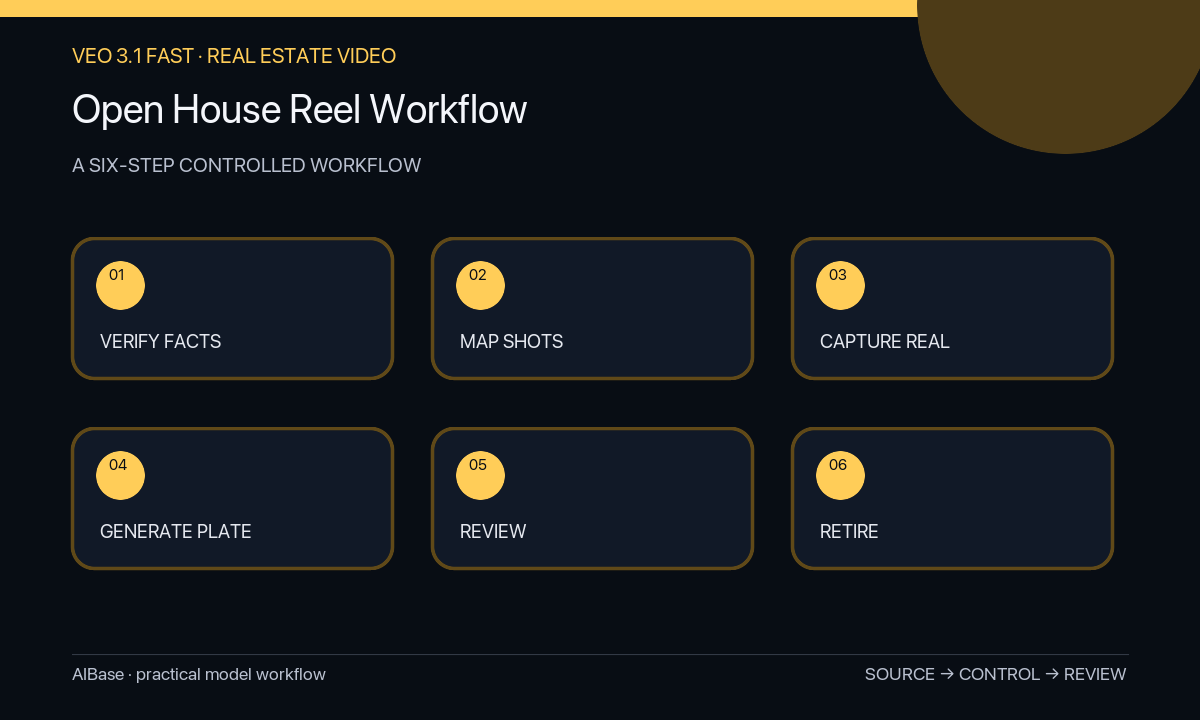
- Verify listing authorization, current status, address rules, price, open-house schedule, confirmed features, image rights, agent and brokerage details, disclosures, and CTA destination.
- Build a vertical shot map that assigns authorized property footage to every factual visual and limits generated plates to non-evidentiary transitions or backgrounds.
- Capture or source honest room, exterior, access, amenity, and agent footage with current condition and no crop or lens choice that materially misrepresents space.
- Generate only text-free low-risk plates with one motion and no identifiable property, person, place, map, data, logo, or implied listing feature.
- Edit facts as controlled layers, then review frame by frame for listing drift, misleading adjacency, invented feature, prohibited wording, unreadable disclosure, caption timing, and destination accuracy.
- Record approval and expiration, export platform-safe versions, monitor comments and links, and remove or update the reel immediately after schedule, price, status, agent, or property facts change.
Example prompt variants
- Three-second vertical transition plate, warm sunlight moves slowly across a blank neutral wall texture, locked camera and calm center, no window view, property feature, furniture, person, logo, text, number, or location cue.
- Four-second abstract arrival transition, one unbranded paper card slides into an empty calendar-shaped frame without readable marks, overhead camera, safe lower-third, no date, address, key, map, house icon, or claim.
- Three-second architectural color transition using simple nonliteral cream and charcoal planes, one slow lateral move, clean final frame for exact event graphics, no room, facade, skyline, person, brokerage mark, or wording.
Quality checklist
- Actual property condition, layout, view, dimensions, amenities, access, neighborhood, and agent identity appear only in authorized current sources.
- Price, status, date, time, features, disclosures, brokerage, captions, CTA, and destination are exact editable layers.
- Generated plates are clearly non-evidentiary and cannot be mistaken for the listing, renovation, staging, view, resident, or location.
- The 9:16 crop, opening hook, pacing, safe zones, caption readability, audio rights, and final-frame CTA suit the target platform.
- Listing version, sources, prompt, edit, approvals, publication locations, and retirement action remain traceable.
Mistakes to avoid
- Generating attractive rooms or exterior shots and presenting them alongside the listing as if they were real.
- Baking address, price, date, features, map, agent details, or brokerage branding into generated video.
- Using speed ramps, wide lenses, or edits that exaggerate room size, adjacency, view, renovation, or amenity access.
- Leaving an expired open-house reel live after the event, status, price, agent, destination, or disclosure changes.
Related AIBase pages
- Open Veo 3.1 Fast
- Create real estate flyer backgrounds
- Animate approved listing photos
- Create real estate video concepts
Practical next step
Open the most relevant AIBase generator, run one narrow prompt first, and save the best result before adding more constraints. The fastest way to improve output quality is to compare one variable at a time: subject, camera, background, lighting, then final polish.