
Veo 3.1 Fast Back-to-School Social Video Prompts
Create back-to-school social video concepts with Veo 3.1 Fast using one offer, modular shots, age-appropriate scenes, product truth, editable copy, and channel-safe review.
Quick answer
Choose one verified seasonal offer and one audience—college students, parents, teachers, or office returners—then generate three short, modular shots with products and settings appropriate to that audience. Keep prices, dates, claims, school marks, product labels, and CTA out of generated frames so they can be updated and reviewed as editable overlays.
Who this guide is for
Retailers, stationery brands, electronics sellers, apparel teams, education services, and local businesses preparing vertical launch teasers, paid social, and seasonal reminder clips.
Recommended model
| Use case | Recommended model | Why |
|---|---|---|
| This workflow | Veo 3.1 Fast text-to-video | Fast iteration suits short modular social shots where teams need to test hooks, product categories, pacing, and seasonal visual language before final assembly. |
AIBase is an independent creative platform. Model names are shown only to identify supported underlying technologies and workflow choices.
Prompt template
Create one [4-6]-second [9:16/1:1] back-to-school social shot for [adult audience or family context]. Purpose: [hook/product proof/CTA background]. Scene: [specific setting] with [approved generic or reference-led product category]. Action: [one simple action]. Camera: [one move]. Lighting: [direction], realistic seasonal mood. Preserve plausible product count, proportions, use, classroom or campus safety, and age-appropriate context. Leave a clean [region] for editable offer copy. No text, numbers, price, discount, date, logo, school crest, branded uniform, identifiable minor, grade, test score, guarantee, fake interface, unsafe product use, cluttered crowd, watermark, or extra action.
Step-by-step workflow
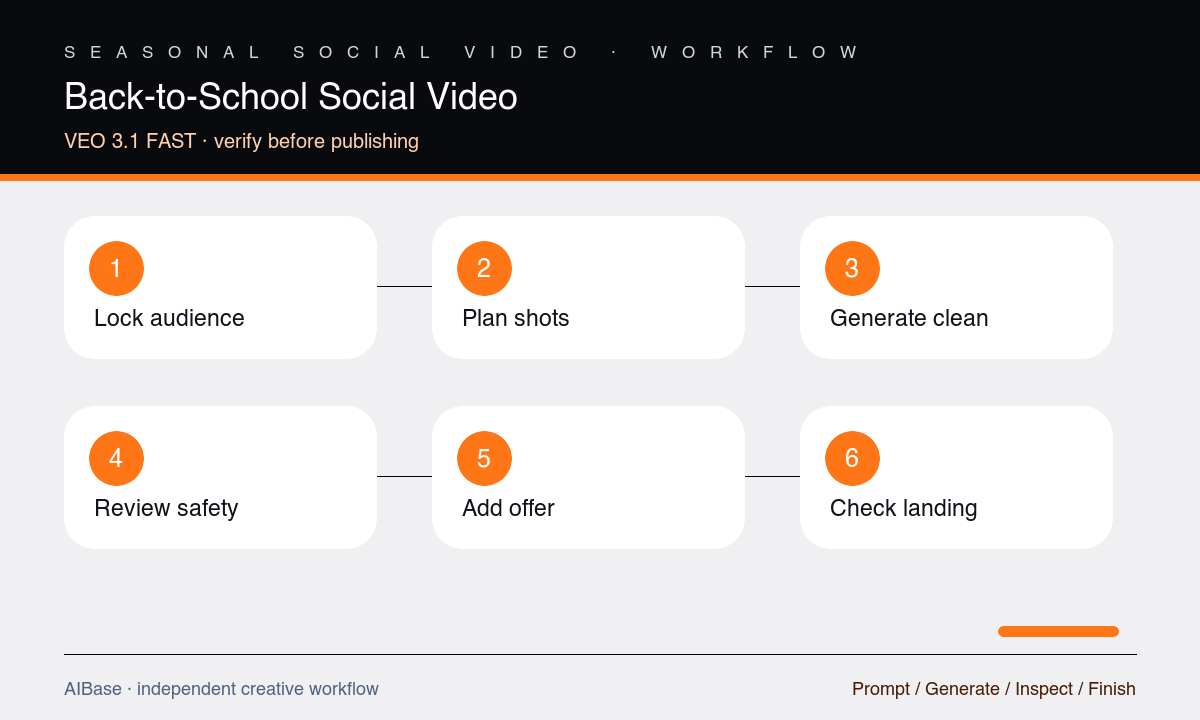
- Lock the audience, current offer, eligible products, dates, exclusions, inventory, destination, brand rules, safeguarding policy, and required reviewer.
- Write a three-shot sequence—seasonal hook, one concrete product or service proof, and a quiet CTA background—with one action and one camera move per shot.
- Generate shots separately using generic settings or authorized references, avoiding identifiable minors and keeping school identities, text, prices, and claims outside frames.
- Review each clip for age context, product truth, hand and object continuity, safe behavior, crowd identity, signage artifacts, camera stability, and crop-safe copy space.
- Assemble the strongest shots with licensed audio, editable offer copy, dates, price, exclusions, logo, captions, CTA, and disclosure when needed.
- Watch at feed speed with sound on and off, then compare every offer detail and linked product against the live landing page before scheduling.
Example prompt variants
- Five-second vertical college-desk reset: an adult hand places one verified generic notebook beside a closed laptop and pen, short overhead slide, warm morning light, clear upper copy zone, no student face, text, logo, or price.
- Four-second square teacher-supply hook: neatly grouped markers and blank cards move into one organized tray through simple stop-motion, locked camera, realistic counts, no children, school crest, readable labels, grades, or discount.
- Six-second vertical family shopping concept: parent and child shown only from shoulders down compare two plain backpacks on a retail shelf, gentle push-in, safe aisle, no faces, logos, uniforms, school name, price, or extra products changing.
Quality checklist
- Audience, setting, wardrobe, products, behavior, and messaging are age-appropriate, respectful, safe, and consistent with safeguarding policy.
- Product categories, counts, proportions, colors, use, hands, shelves, desks, bags, and repeated objects remain stable within each shot.
- Offer, price, dates, exclusions, school references, logos, claims, captions, and CTA are accurate editable overlays rather than generated pixels.
- Every shot has one readable action, one coherent camera move, mobile-safe focal hierarchy, and enough quiet space for the planned copy.
- Audio rights, captions, disclosure, inventory, landing-page terms, geographic eligibility, and scheduling window pass final review.
Mistakes to avoid
- Treating every learner as a child and generating identifiable minors without a clear safeguarding, consent, and audience plan.
- Combining classroom, campus, retail aisle, product demo, discount reveal, and family reaction in one unstable clip.
- Generating prices, school crests, uniforms, grades, testimonials, or performance claims directly into video frames.
- Publishing a seasonal offer after eligible SKUs, stock, dates, exclusions, or the linked landing page have changed.
Related AIBase pages
- Open Veo 3.1 Fast
- Create flash-sale video prompts
- Plan short social ad storyboards
- Create local business reels
Practical next step
Open the most relevant AIBase generator, run one narrow prompt first, and save the best result before adding more constraints. The fastest way to improve output quality is to compare one variable at a time: subject, camera, background, lighting, then final polish.