
Veo 3.1 Fast Coworking Space Social Tour Reel Prompts
Build fast coworking social reel plates with Veo 3.1 Fast while keeping rooms, amenities, availability, members, access, pricing, location, and workspace claims truthful.
Quick answer
Use current authorized footage for every real room, desk, view, amenity, access feature, event, staff member, and community scene. Veo 3.1 Fast is best reserved for quick text-free transitions, abstract schedule cards, or non-evidentiary workday mood plates. Add current address, hours, availability, membership terms, pricing, access, connectivity, accessibility, and booking information as controlled layers after verification.
Who this guide is for
Coworking operators, flexible-office teams, commercial property marketers, community managers, and agencies creating 9:16 tours, day-pass promos, event recaps, location launches, or availability updates.
Recommended model
| Use case | Recommended model | Why |
|---|---|---|
| This workflow | Veo 3.1 Fast for rapid illustrative transition and hook testing | Fast generation supports multiple short social pacing options while real workspace evidence remains in current authorized photography and video. |
AIBase is an independent creative platform. Model names are shown only to identify supported underlying technologies and workflow choices.
Prompt template
Create a [3-5 second] text-free illustrative transition plate for a verified coworking-space reel, not a depiction of the actual location. Purpose: [workday rhythm / schedule transition / focus mood]. Subject: [generic stationery object / abstract light and desk plane / nonliteral modular shapes], one motion [specific], camera [locked or one move], vertical 9:16 with safe zones for editable location facts and CTA, stable final second. Do not depict a real office, desk inventory, window view, member, staff person, event, amenity, phone booth, meeting room, kitchen, gym, address, map, transit, access system, Wi-Fi result, occupancy, availability, price, logo, letter, number, or watermark.
Step-by-step workflow
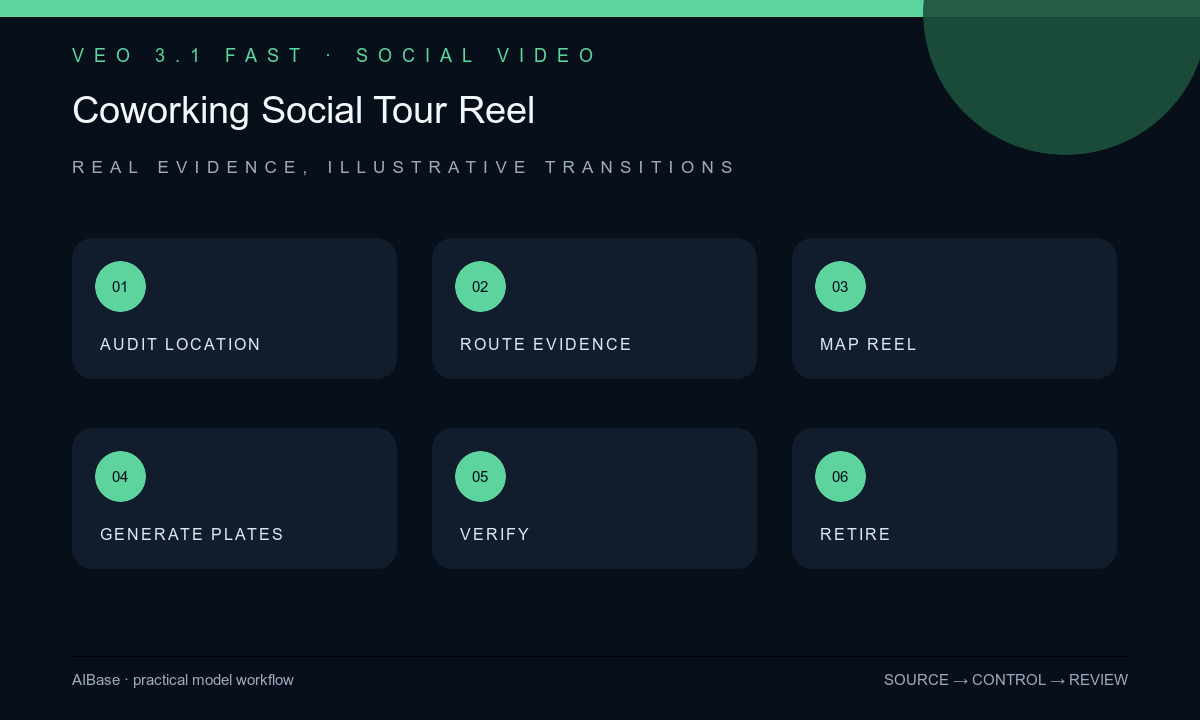
- Verify current address, room and desk inventory, amenities, access hours, staffing, events, member permissions, accessibility, connectivity wording, availability, pricing, terms, booking destination, and media rights.
- Build a vertical shot list and route every factual space, view, amenity, person, access action, event, and service to current authorized footage with the correct location tag.
- Assign generated plates only to non-evidentiary hooks or transitions, then define protected text zones, one motion, short duration, and no resemblance to the actual property.
- Generate quick variants, assemble them around real footage, and keep location, room type, date, offer, and CTA graphics outside generated pixels.
- Review every frame for location confusion, invented room or amenity, apparent crowding or vacancy, member privacy, unsafe work behavior, accessibility implication, crop, captions, audio, and stable edit handles.
- Approve with operations and property teams, publish with current destination and disclosure, monitor questions, and retire or update the reel when availability, access, price, space, event, or terms change.
Example prompt variants
- Three-second vertical transition, one warm light band moves across an empty abstract desk plane with no identifiable furniture, screen, room, view, person, logo, text, amenity, or location cue; locked camera and clear lower-third.
- Four-second nonliteral schedule transition, three unmarked paper blocks align gently on a neutral surface, overhead camera, safe center for exact event graphics, no calendar date, coworker, desk count, room, badge, word, or number.
- Three-second focus-mood hook, one simple geometric divider slides into an empty workspace-shaped frame without depicting a real office, phone booth, plant, window, device, person, text, map, or performance claim.
Quality checklist
- Every real room, desk, amenity, view, event, person, access feature, and service uses current authorized evidence from the correct location.
- Generated plates are non-identifiable, non-evidentiary, text-free, and cannot be mistaken for actual workspace inventory or occupancy.
- Address, hours, availability, pricing, terms, connectivity, accessibility, access, event, booking, captions, and CTA are exact editable layers.
- The 9:16 hook, crop, pacing, safe zones, captions, audio rights, disclosure, and destination work in the target social placement.
- Location truth sheet, source footage, prompts, edit, approvals, publication window, changes, and retirement remain traceable.
Mistakes to avoid
- Generating a beautiful office tour and presenting invented desks, views, amenities, finishes, or occupancy as the real location.
- Using one reel across several locations without labeling which footage and facts belong to each site.
- Showing staged people as real members or implying community size, productivity, quietness, connectivity, or availability from illustrative scenes.
- Leaving price, day-pass terms, hours, event dates, access rules, or booking links baked into an outdated reel.
Related AIBase pages
- Open Veo 3.1 Fast
- Create hotel room social reels
- Create real estate open-house reels
- Create customer testimonial B-roll
Practical next step
Open the most relevant AIBase generator, run one narrow prompt first, and save the best result before adding more constraints. The fastest way to improve output quality is to compare one variable at a time: subject, camera, background, lighting, then final polish.